A minor overhaul of Measuring Tools
Measuring Tools has had a minor overhaul.
The menu is shorter, the Tools list has new filters and date sorting, and Max Usage now works as it should.
A shorter menu
The Measuring Tools menu has been shortened to two items: Tools and Configuration.
The new item, Configuration, holds the settings that used to have their own menu items. They are now tabs:
- Types
- Units
- Whitelist
- Calibrations import
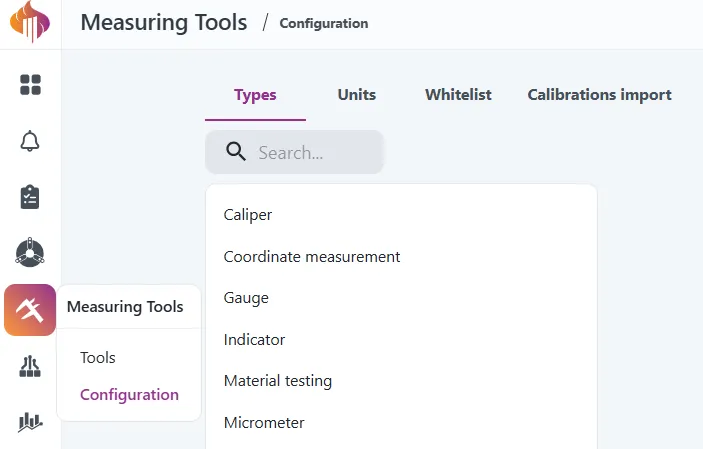
Users with the Measuring Tools Admin or QC Admin role see Configuration. Everyone else only sees Tools.
Calibration Lists is replaced by the Tools list
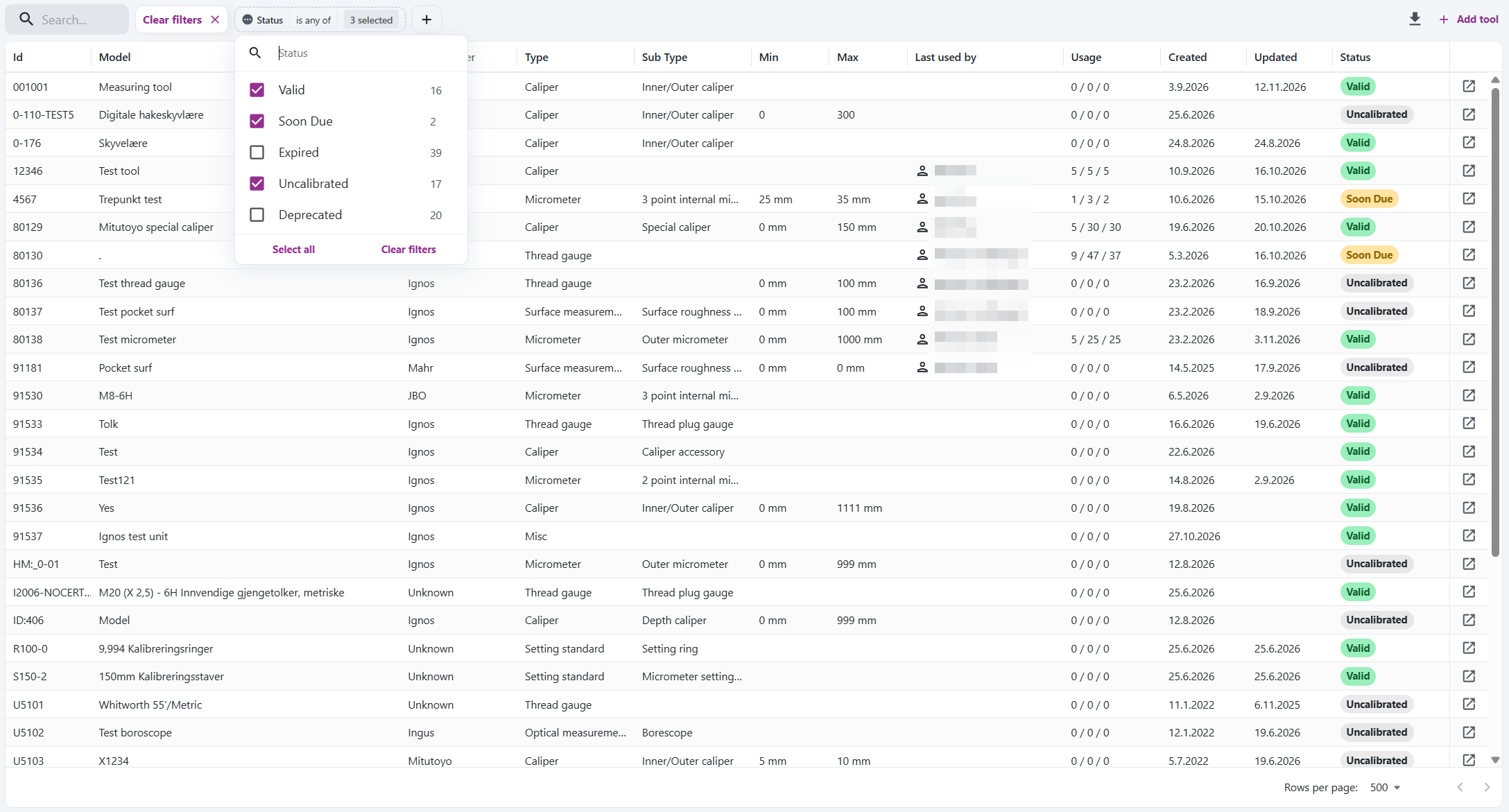
We have removed Calibration Lists. Use the Tools list instead. It now has filters that do the same job:
- Status: Select Expired or Soon Due to see the tools that need calibration. Each option shows how many tools match.
- Sub type: You no longer need to select a type first. Each sub type is shown with its type, for example "Caliper / Special caliper".
- Type: Filter on one or more types.
Select the plus button to add a filter. Expired and deprecated tools are hidden until you select them in the Status filter.

Sort tools by date
The Tools list has two new columns, Created and Updated. Select a column header to sort the list by date, for example to see the newest tools first. Hover over a date to see the time.
The filter and the sort are part of the page address.
Bookmark the page in your browser to open the list the same way later.
Calibrations import has moved
The import of calibrations used to be a tab in Calibration Lists. It is now a tab on the Configuration page.
Go to Measuring Tools > Configuration > Calibrations import. The import works as before.
Max Usage now works as intended
Max Usage on types and sub types could be saved, but it did not affect the calibration status. This is now fixed:
- At 90 % of Max Usage, the tool gets the status Soon Due.
- At Max Usage, the tool gets the status Expired. Depending on your Inspect settings, it can't be used in Inspect until it is calibrated again.
- You can use Max Usage instead of Calibration Interval, or together with it. The limit that is reached first applies.
Each value documented with the tool counts as one use. Usage is updated every 10 minutes.
If you have already set Max Usage on a type or a sub type, some of your existing tools might change status to Expired right after this update!
Check Max Usage in Configuration > Types, and calibrate the tools that need it.
Other changes
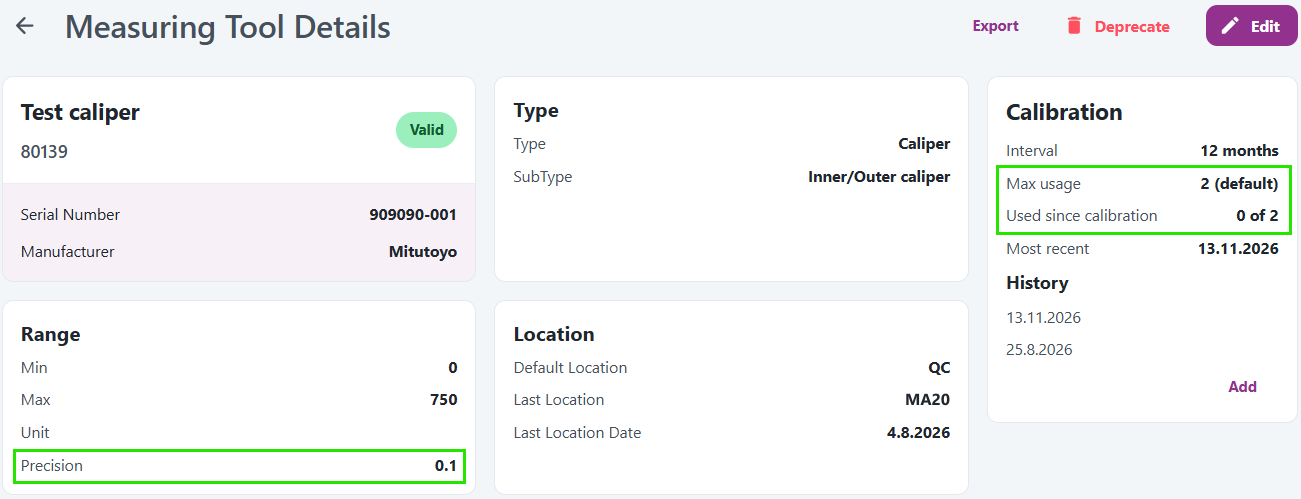
- Tool page: The Calibration section shows Max usage and Used since calibration, for example "12 of 50".
- Precision: A new field under Range. Enter a decimal number between 0 and 1, for example 0.01.
Read more in the documentation.