Introducing Inspect Match
· One min read
New in Inspect: Match
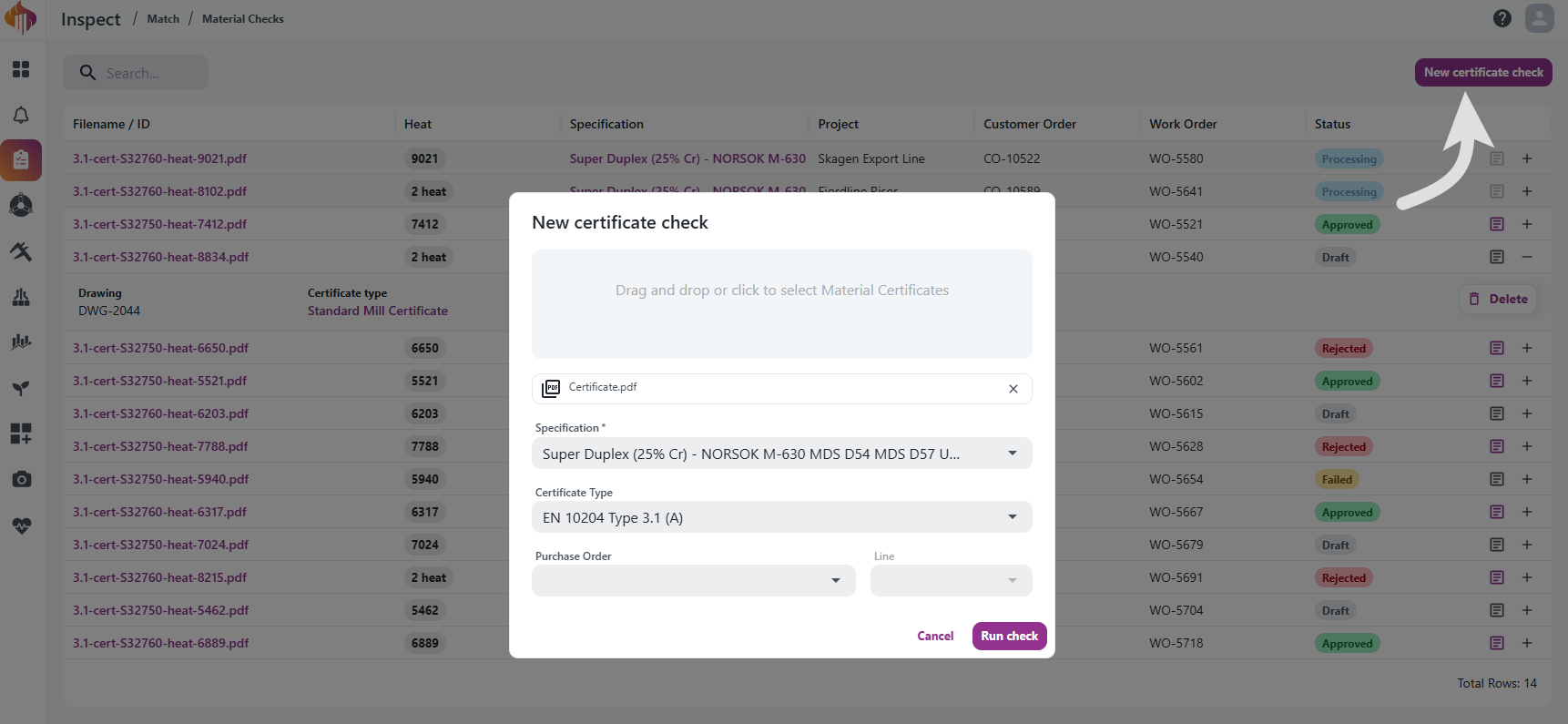
Match automatically checks an uploaded material certificate (e.g. an EN 10204 mill test certificate) against a Specification you define — and optionally against a Certificate Type's document requirements — producing a pass/fail result per property.
- Drag and drop a certificate PDF, select a Specification (and optionally a Certificate Type), and run the check.
- Match uses AI to read the certificate and extract chemical composition, mechanical test results, heat treatment, and ferrite content, then compares them against your requirements.
- Every result stays reviewable and overridable before you approve or reject the check.
- Generate a report of the check results whenever you need one.
Reusable Specifications and Certificate Types let you define requirements once — chemistry, mechanical properties, heat treatment, ferrite content, and document types — and reuse them across checks. Both are versioned, so changes go through a Draft before being released.
Read the full guide in the Inspect Match documentation.