Factory Default Performance for OEE and OOE
Pulse now supports a factory-level Default performance value for OEE and OOE calculations.
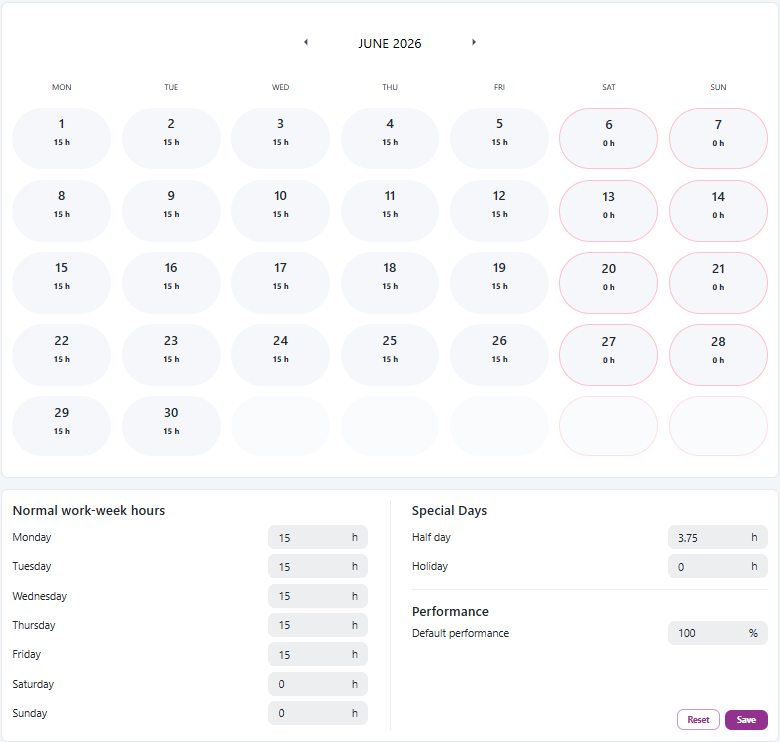
What's new
Admins can configure Default performance in Settings -> KPI -> Calendar. The value is set per factory, so each site can use the fallback performance level that best matches its own production environment.
How it works
OEE and OOE are still calculated as:
Availability x Performance x Quality
When Pulse has a calculated Performance value, that value is used. When calculated Performance is not available, Pulse uses the factory's configured Default performance instead.
Where it is used
OEE and OOE tables
The highlighted Performance column in OEE and OOE tables uses Default performance when no calculated Performance value is available.

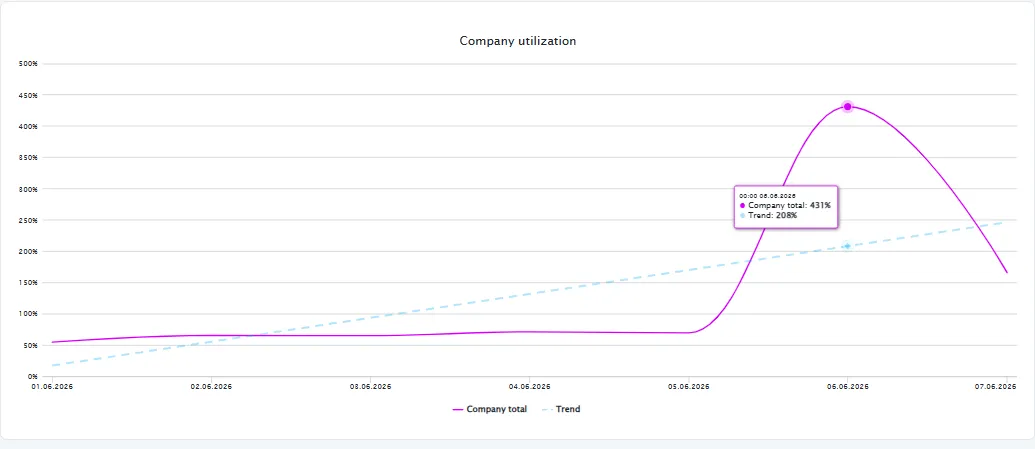
Resource Capacity utilization charts
Resource Capacity utilization charts use the fallback in the Company total and trend values when the chart is based on OEE.
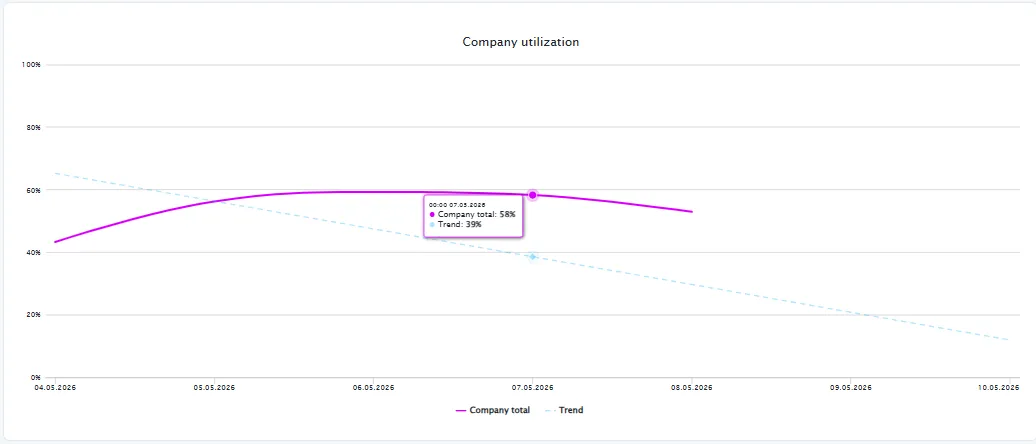
Calendar Utilization charts
Calendar Utilization charts use the fallback in the Company total and trend values when the chart is based on OOE.
Company Overview cross-company utilization
In Company Overview, Pulse first calculates each factory's OEE or OOE with that factory's own Default performance fallback when needed. The cross-company view then compares those calculated factory values.
Read more in the Pulse documentation.