See who's working a resource at a glance
Until now, the schedule and operation views gave no indication of who was actually working a resource group — you'd have to dig elsewhere to find out who the supervisor was or which operators were currently active.
What's new
A new ResourceWorkers component shows a compact group of avatars for a resource group right next to where you're already looking:
- In the schedule header, next to the resource selector, for the currently selected resource group.
- In the surrounding operation panel (previous/next operation), for that operation's resource group.
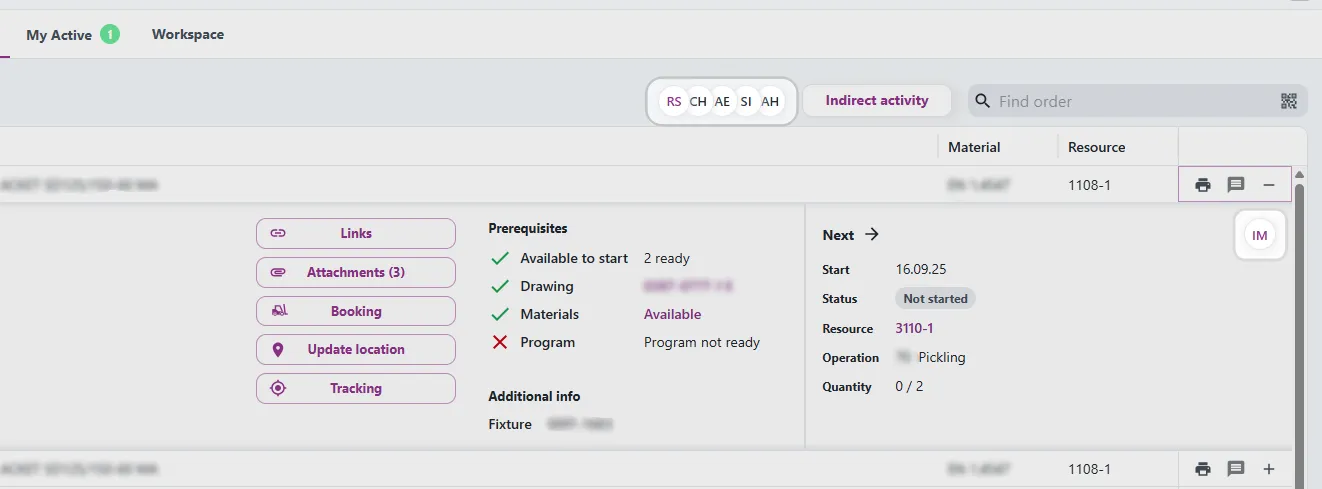
Each avatar represents one person in one role:
- Supervisor — shown first, in the primary color.
- Active — everyone currently clocked in as a worker, shown in green.
If someone is both the supervisor and actively working, they show up as two avatars — one per role — rather than being merged into one. Hovering an avatar shows the person's name and role, and clicking it opens a Teams chat with them directly.

When there are more workers than fit, the extra ones collapse into a "+N" overflow avatar. Hovering it lists every overflow worker with their role. Here you can easily click in the name to open the Teams chat.