Introducing Schema Creator
What if creating a Schema was as simple as uploading a drawing?
With Schema Creator, it is! Drop in a technical drawing, and Schema Creator reads it, extracts the dimensions, and builds a Schema for you, complete with an automatically generated balloon drawing.🪄
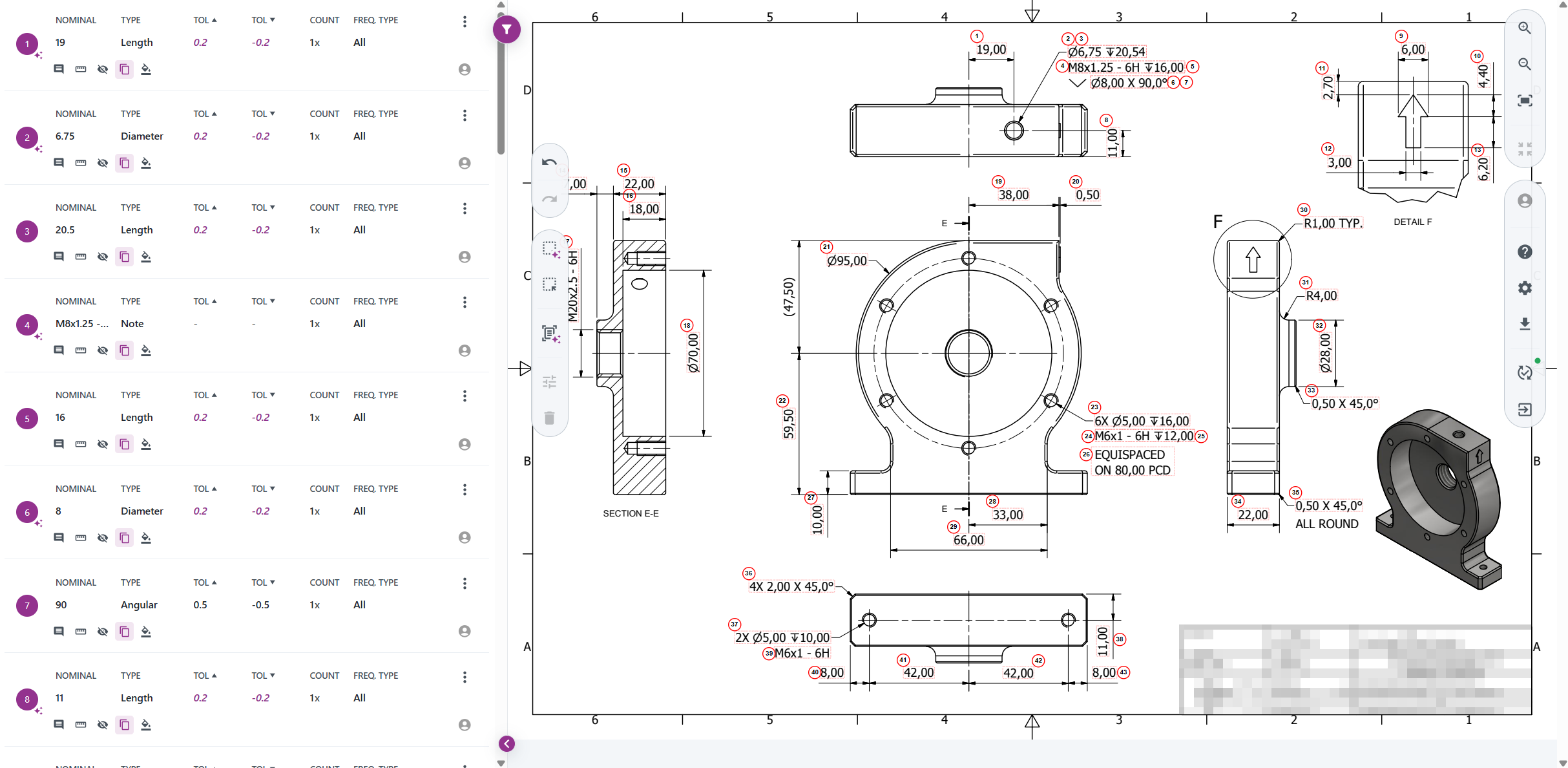
From drawing to Schema
Schema Creator finds the dimensions and tolerances on the drawing and reads them. Each reference is numbered and linked to its place on the drawing, and the Schema is filled in with nominal values, tolerances and frequency types. Read the whole drawing at once, or select a region to read only that part.
You stay in control
Every value can be edited, reordered or removed before you release, and you can add references by hand. Existing Schemas are not changed unless you open them in Schema Creator.
Get started
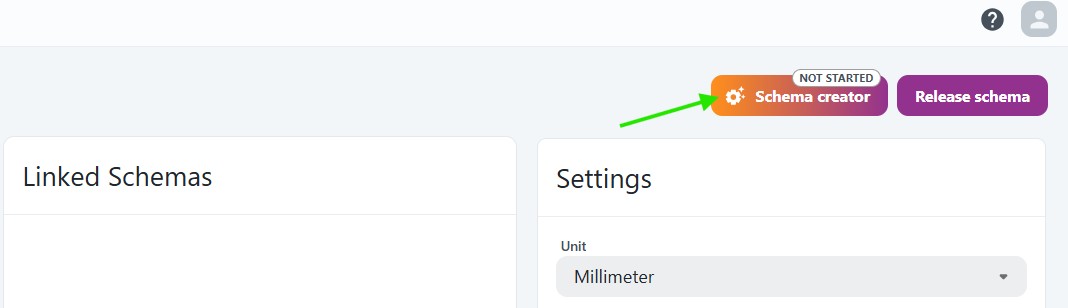
Open a Schema, upload a drawing and click Schema creator. It is available to users with the Measurement Forms Admin, QC Admin or Admin role. Reading drawings automatically must be enabled for your company, so contact us if you want to try it.
Read more in the documentation.