Shift Settings replaces Capacity
The Capacity admin settings has been replaced by Shift Settings — a more powerful way to define how your resources work and what utilization you expect from them.
Your existing capacity data has been migrated automatically. Nothing is lost, and KPI and OEE calculations continue as before.
What's new
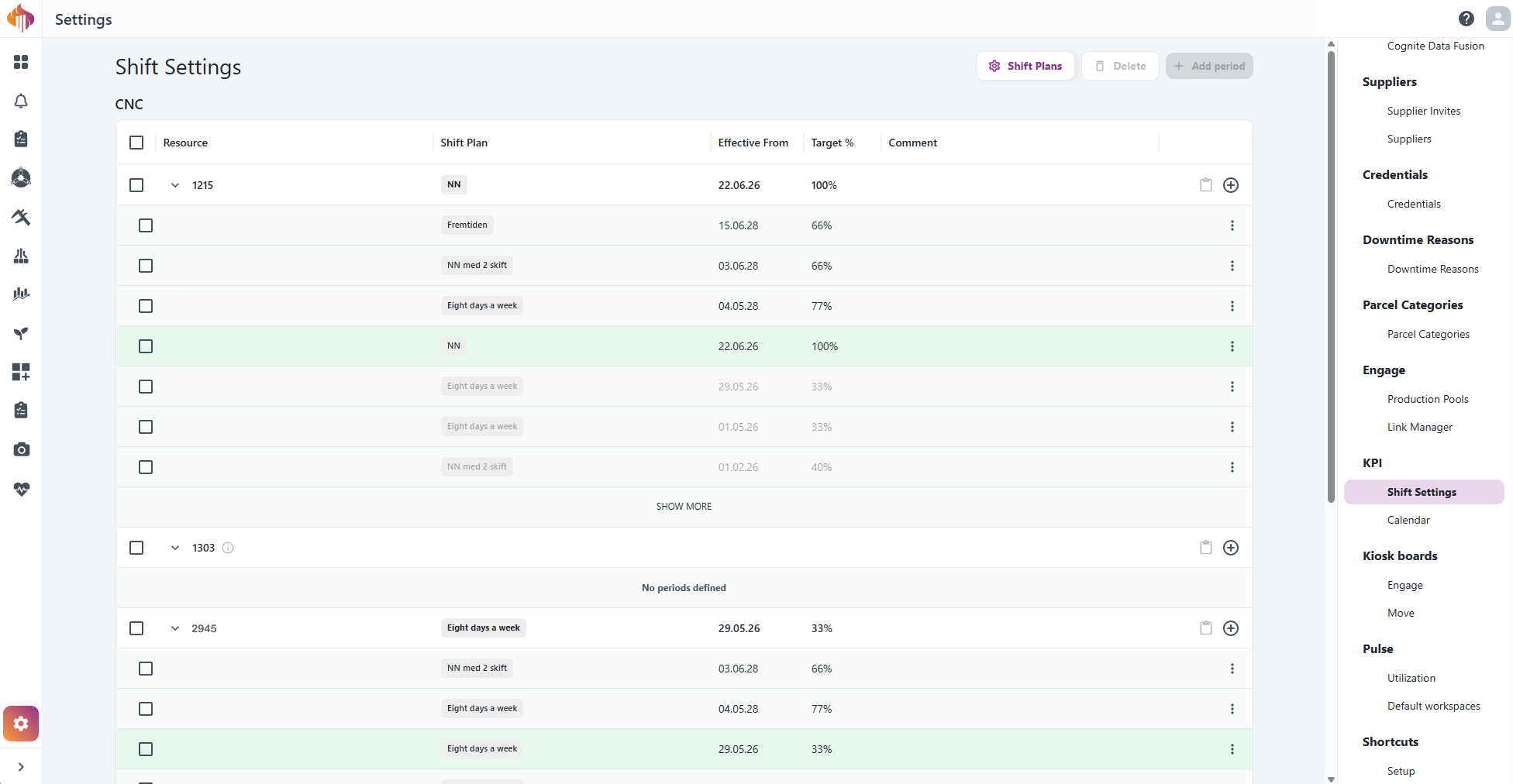
Shift plans — Instead of setting hours directly on each resource, you now define reusable shift plans (e.g. "Day shift", "4-day week") and assign them to resources. Update a plan once and it applies everywhere it is used.
Time-bounded periods — Capacity used to be a single static value per resource. Shift Settings lets you define multiple periods with an effective-from date, so you can schedule changes in advance and keep a full history of how a resource has been configured over time.
Per-period target utilization — Target % is now set per period, giving you more control as schedules change throughout the year.
Bulk operations — Select multiple resources and add or delete periods across all of them in one step.
Copy/paste — Copy a period from one resource and paste it to another instead of filling in the same form repeatedly.
Where to find it
Shift Settings is under Settings → Shift Settings in the KPI menu — the same place Capacity used to be.