Reorder shortcuts with drag and drop
· One min read
Admins can now choose the order of shortcuts in each shortcut group. Just drag them into place.
Admins can now choose the order of shortcuts in each shortcut group. Just drag them into place.
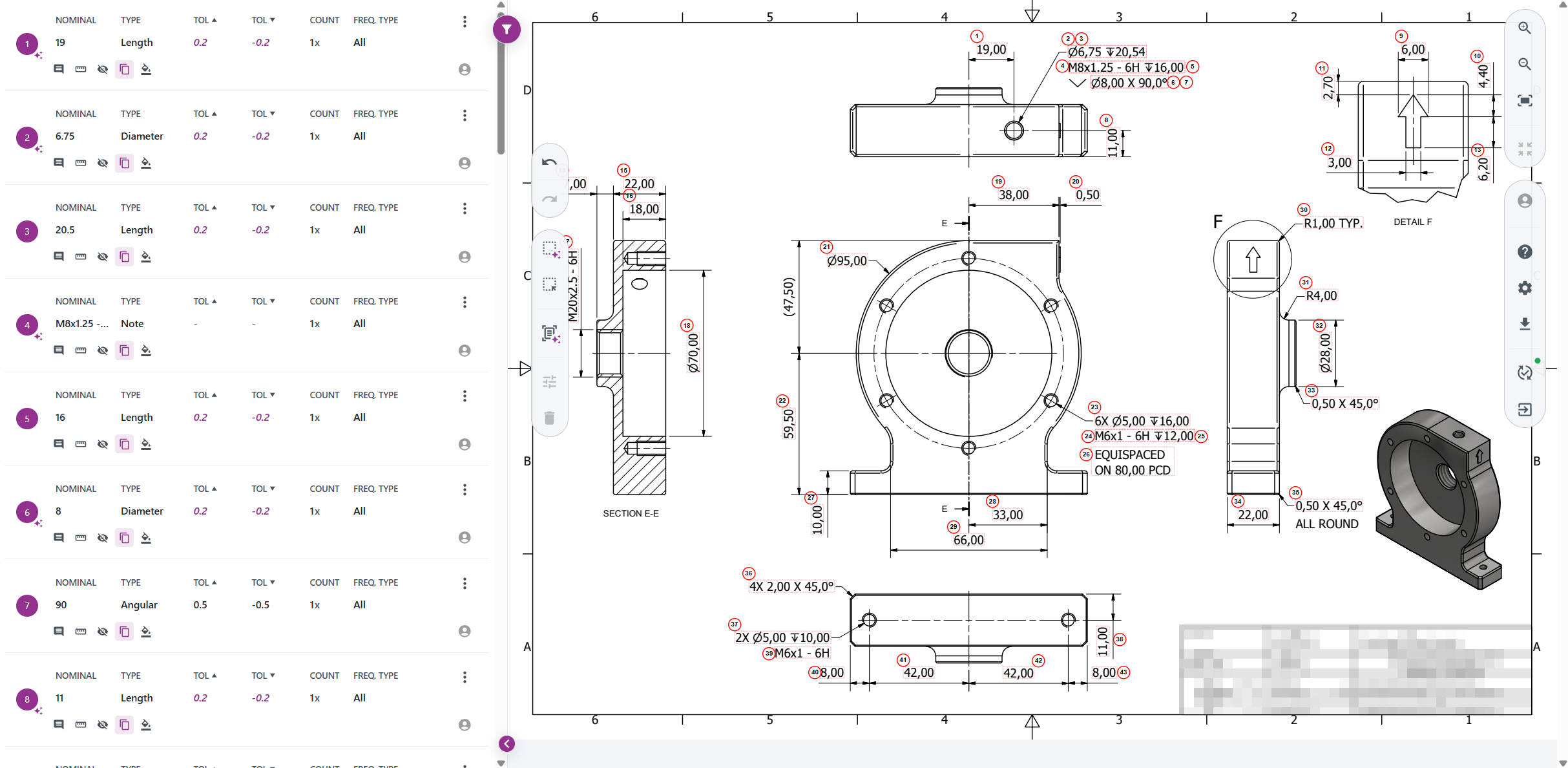
What if creating a Schema was as simple as uploading a drawing?
With Schema Creator, it is! Drop in a technical drawing, and Schema Creator reads it, extracts the dimensions, and builds a Schema for you, complete with an automatically generated balloon drawing.🪄
We are preparing Workspace to become the landing page in IGNOS. As a first step, we have cleaned up the widgets so they look and behave the same way across the board.
Match automatically checks an uploaded material certificate (e.g. an EN 10204 mill test certificate) against a Specification you define, and optionally against a Certificate Type's document requirements, producing a pass/fail result per property.
Reusable Specifications and Certificate Types let you define requirements once (chemistry, mechanical properties, heat treatment, ferrite content, and document types) and reuse them across checks. Both are versioned, so changes go through a Draft before being released.
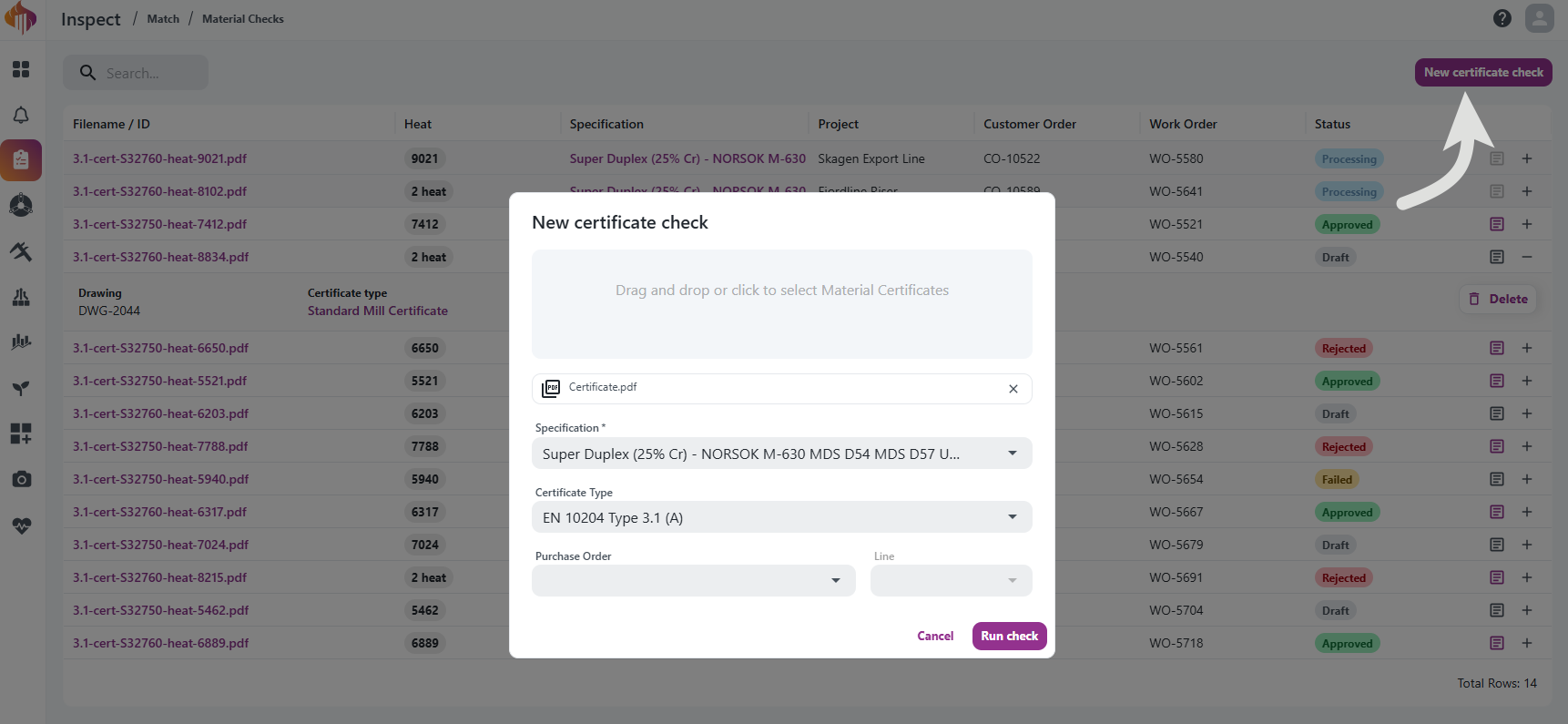
Read the full guide in the Inspect Match documentation.
We have reworked how the measurement table inside an Instance renders, making it noticeably faster on large forms and keeping the important context on screen while you scroll.
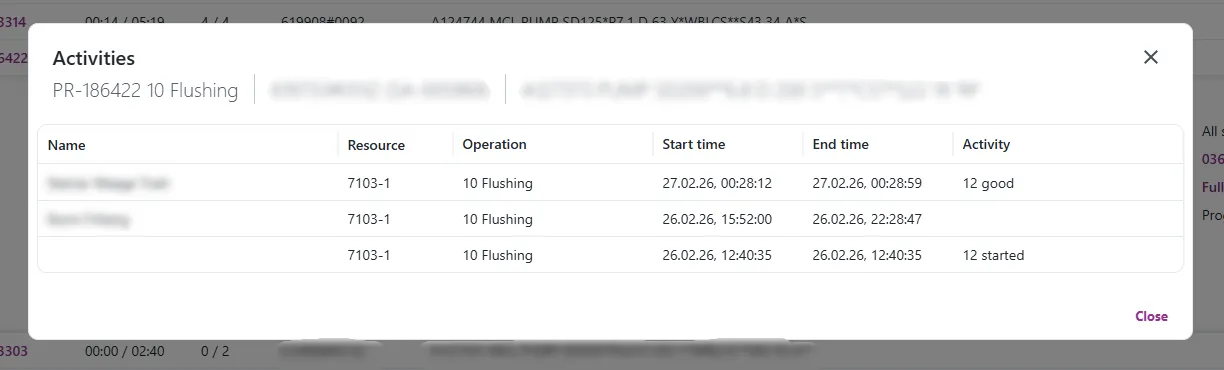
The Activities dialog now shows the started, good and scrap quantities.
Each row now has an Activity column showing the quantities for that activity (started, good and scrap), but only the ones that actually have a value.
The dialog also shows a subheader with details for the order behind the activity: part number/name, operation number/name, production order, project, BOM position, whether it's a sales order, and the reference order number. This is the same kind of subheader used elsewhere in Engage, just applied here too.
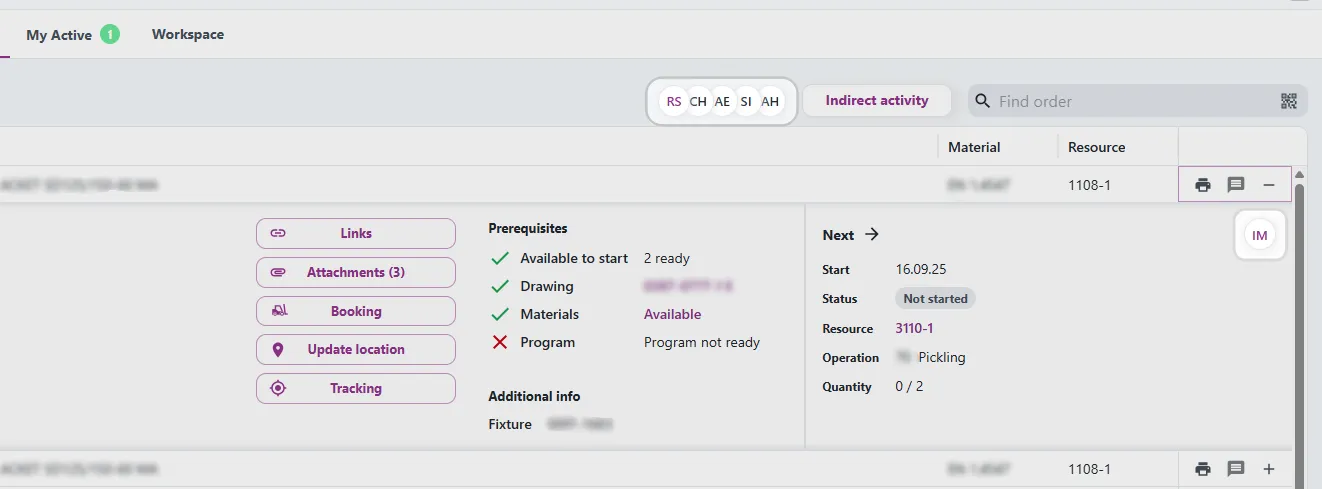
Until now, the schedule and operation views gave no indication of who was actually working a resource group. You'd have to dig elsewhere to find out who the supervisor was or which operators were currently active.
A new ResourceWorkers component shows a compact group of avatars for a resource group right next to where you're already looking:
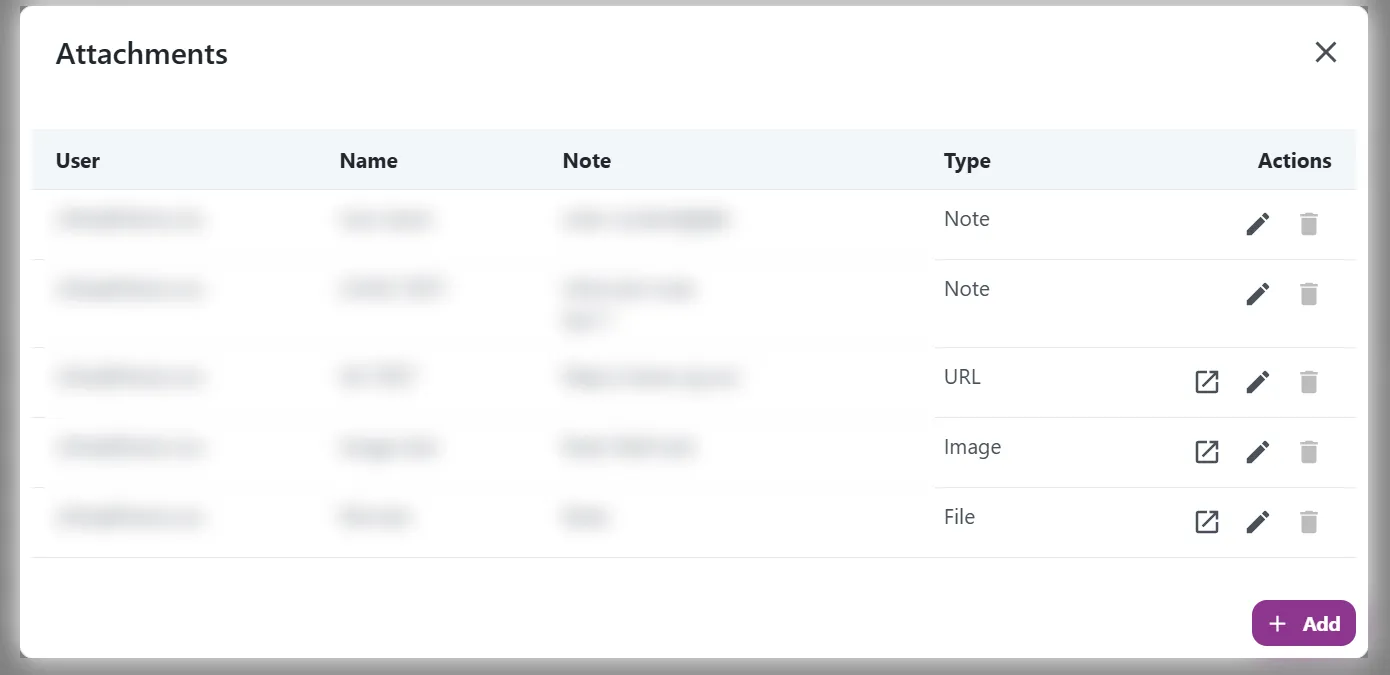
Attachments on a production order could previously only be listed. You can now open them, and add, edit and delete them directly from Engage.
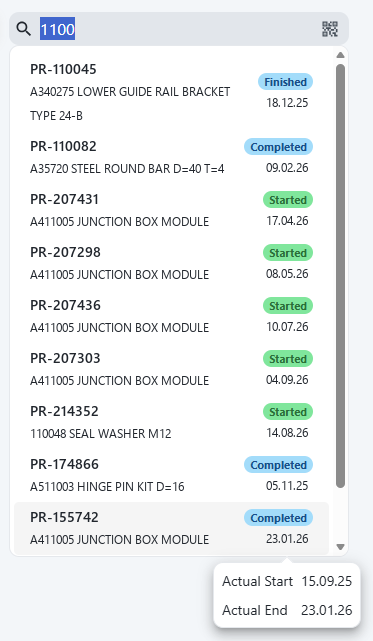
Order search in Engage and Move has been improved. Typing an order number now reliably brings that order to the top of the list, results are sorted so the most relevant orders come first, and each result shows the order status and delivery date.
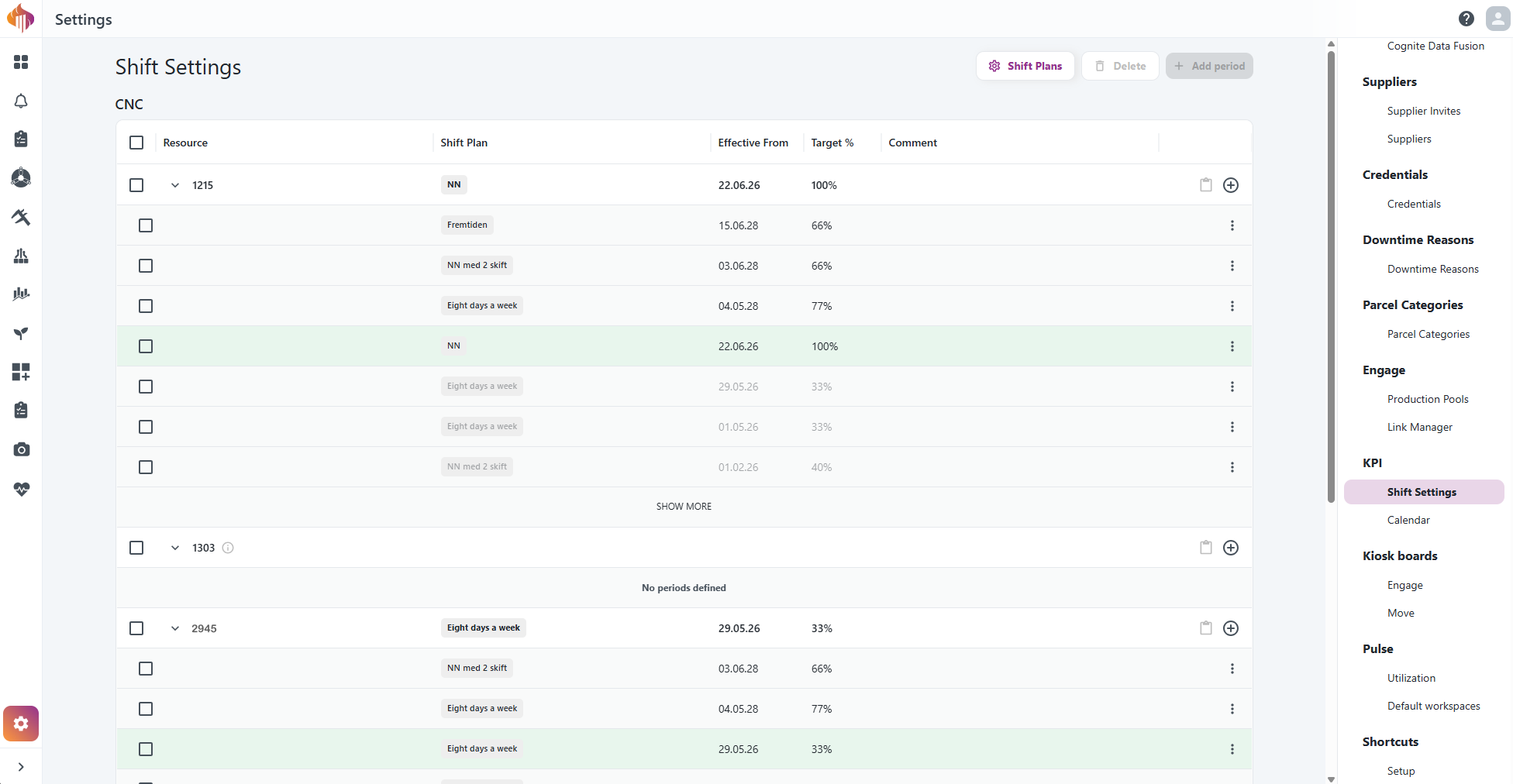
The Capacity admin settings has been replaced by Shift Settings, a more powerful way to define how your resources work and what utilization you expect from them.
Your existing capacity data has been migrated automatically. Nothing is lost, and KPI and OEE calculations continue as before.