Introducing Inspect Match
· One min read
New in Inspect: Match
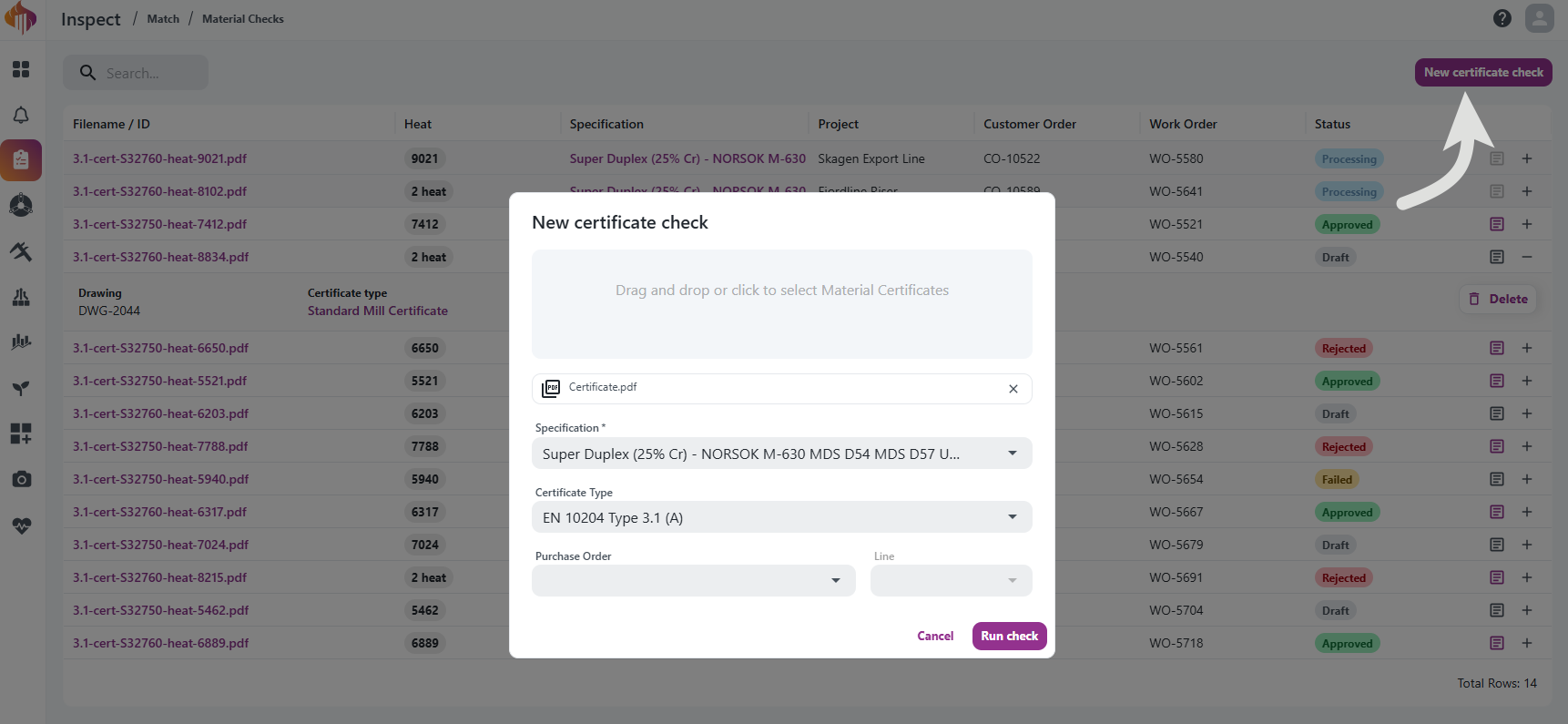
Match automatically checks an uploaded material certificate (e.g. an EN 10204 mill test certificate) against a Specification you define, and optionally against a Certificate Type's document requirements, producing a pass/fail result per property.
- Drag and drop a certificate PDF, select a Specification (and optionally a Certificate Type), and run the check.
- Match uses AI to read the certificate and extract chemical composition, mechanical test results, heat treatment, and ferrite content, then compares them against your requirements.
- Every result stays reviewable and overridable before you approve or reject the check.
- Generate a report of the check results whenever you need one.
Reusable Specifications and Certificate Types let you define requirements once (chemistry, mechanical properties, heat treatment, ferrite content, and document types) and reuse them across checks. Both are versioned, so changes go through a Draft before being released.
Read the full guide in the Inspect Match documentation.