Manage Engage links in Link Manager
· One min read
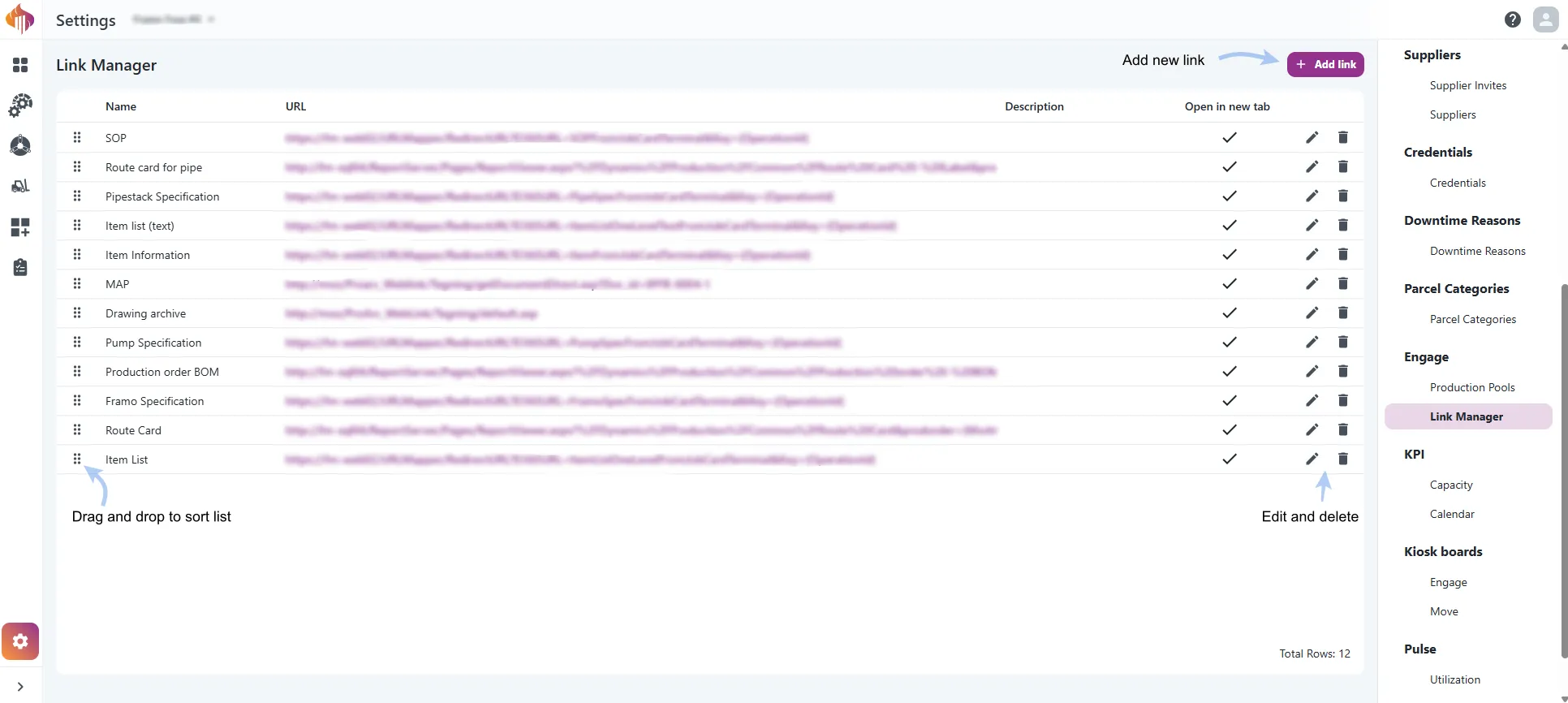
Admins can now add, edit, remove and reorder the links that users see in Engage, from Link Manager in Settings.
Where the links are shown
The links open from the Links button in two places in Engage:
- On an operation in the Schedule view
- On the Order details page

Add a link
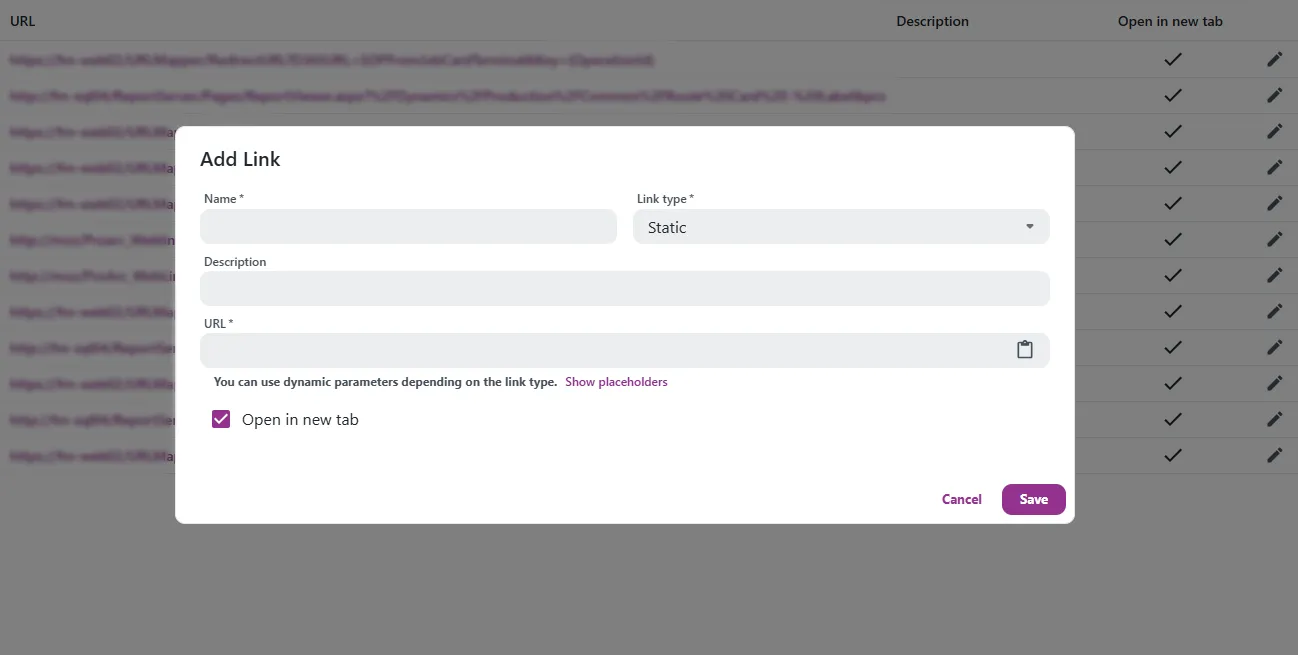
Click Add link and fill in Name, Link type, Description and URL in the Add Link dialog. Select Open in new tab if the link should open in a new tab.
info
To use placeholders in a link, click Show placeholders to see the placeholders that the selected link type supports.
Drag and drop the rows to change the order of the links.
Get started
Go to Settings > Engage > Link Manager. Users with the Admin role can use it.