Booking Notifications now support vehicle filters and location search
Booking Notifications in Move can now be targeted more precisely. Drivers can subscribe only to bookings that match the vehicles they operate, and the location filter is easier to use because it now supports search.
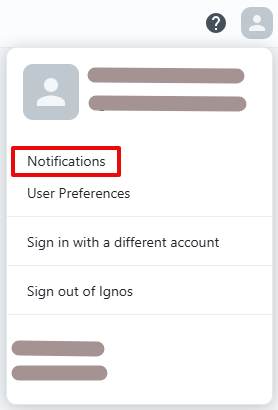
Open Booking Notifications from the user menu in the top right, just like before:
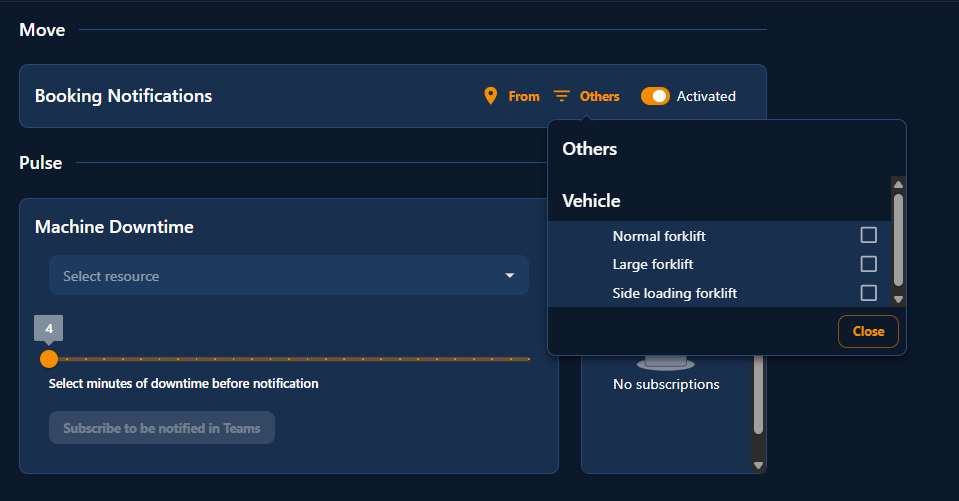
The updated Booking Notifications view now includes From, Others, and the existing activate/deactivate switch:
What changed
- From still filters notifications by zones and locations.
- From now includes search, and that search matches both locations and zones.
- Others is now available in Booking Notifications.
- In Booking Notifications, Others contains only Vehicle.
- Vehicle lets you filter on
Normal forklift,Large forklift, andSide loading forklift.
The search box in From matches both locations and zones:

Default behavior
If you do not select any zones or locations in From, Booking Notifications apply to all bookings.
If you do not select any vehicle types in Others > Vehicle, Booking Notifications apply to all vehicle types.
You can still activate or deactivate Booking Notifications with the existing switch, and your selected filters are saved in the notifications settings.
This makes it easier to follow only the bookings that are relevant to your work, without losing the flexibility of the existing location-based notification flow.