Rambase integration
This page explains how IGNOS and Rambase work together, what data is exchanged, how often, which direction it flows, and what is required from the user-side. It's written to be read by both management and IT, without prior knowledge of IGNOS.
In short
IGNOS reads data from Rambase and uses it for two purposes:
- Showing what is happening in production (Pulse).
- Automatically preparing measurement forms for quality control (Inspect Measure).
The automation assumes that someone on the customer-side creates the measurement form templates (Schemas). If a part in production has no Schema, IGNOS raises a Need so that someone can create one. Once the Schema-template exists, fillable forms (Instances) are created automatically.
The integration reads from Rambase continuously, and writes back only measurement forms with the status Approved. These are attached as PDF reports to each LCM on the production work order. Work orders, operations, customer data and other information in Rambase are never modified.
This page uses the same terms you will see in the applications themselves. See the Glossary chapter at the end for definitions.
What is exchanged, and how often
From Rambase to IGNOS
| Data | How often | What it means for you |
|---|---|---|
| Operation start and stop | Real time, visible within about 1 minute | When an operator starts or stops an operation in Rambase, it appears in Pulse almost immediately |
| Work orders and operations | Every 5 minutes | New or changed orders are available in IGNOS within 5 minutes |
| Trace data (serial numbers and batches) | Continuously on change, plus a full refresh every 4 hours | If you add, remove or rename serial numbers in Rambase, the Instances are updated automatically |
| Customer data (name and groups) | Daily at 05:00 UTC | New customers or changed customer names are in place the next morning |
| Link to customer and sales order | Hourly | Which customer and sales order the work order belongs to, including your own order reference. This determines which Schema applies |
| Drawings | Every 30 minutes | Drawings linked to a Schema are fetched automatically from Rambase |
| Supplier access to forms | Hourly | Controls which external suppliers can see specific inspection forms |
From IGNOS to Rambase
| Data | How often | What it means for you |
|---|---|---|
Approved Instance (PDF) | Every 5 minutes | When an Instance is set to Approved in IGNOS, the PDF is in Rambase within about 5 minutes |
The report is attached to each individual product unit (LCM) under the production work order, that is, at part level with a serial number, not to the production work order as a whole. If the order has 10 units, all 10 get the report attached.
The report is uploaded with the document type RDI and the description IgnosRdiReport. The document type must exist in Rambase before the first report is sent. If you want a different document type or description, contact IGNOS and we will set it up for you.
Automation in Inspect Measure
Beyond plain data synchronisation, IGNOS uses the work order data to prepare measurement forms automatically.
Two things happen in the background:
- Is a measurement form template (Schema) missing?
If a part and drawing combination in production has no Schema with the statusReleasedin Inspect Measure, a Need is created in IGNOS. This is a task for whoever creates measurement forms, not an error message. - Does a Schema with the status
Releasedexist?
A fillable form (an Instance) is created automatically, linked to that specific work order and ready for the operator to fill in.
These checks run hourly at :15 past the hour for Needs and every second hour at :30 past the hour for Instances. This means that a new Need can appear anywhere from a few minutes to just under an hour after the work order is synced, depending on when it arrives relative to the next check.
There is also a fast track available: if you create the Schema directly from a Need, the Instance is created as soon as the Schema is released, instead of waiting for the next scheduled check (which can take up to two hours).
For automatic Instance creation, the work order must have a drawing number, be active, and have a planned start date within 180 days. In addition, the product must be set up in Rambase with serial number or batch tracing, so that Rambase creates LCM units for the order. These are fetched automatically, nothing is registered by hand.
Daily check
A daily check runs at 05:00 and verifies that all work orders IGNOS believes are active still exist and are active in Rambase. Orders that have been closed or deleted are removed from IGNOS, and the rest are synchronised again as a precaution.
This is a safety net. If something was missed during the day, it is corrected through this step.
Technical setup
How IGNOS connects to Rambase
IGNOS authenticates against the Rambase API with a dedicated client ID and key, created by your Rambase provider. Access is limited to the parts of the API the integration actually needs.
Rambase also requires that the IP addresses IGNOS calls from are whitelisted. IGNOS handles this together with your provider.
Two things in Microsoft Entra ID
Two separate registrations in Entra ID are involved, and they do entirely different things. Both are one-time jobs during setup.
Entra ID is only involved in the direction into IGNOS. Rambase has its own sign-in, and is not reached through Entra ID.
1. User sign-in (SSO)
The Ignos app is a multi-tenant application hosted by IGNOS. You grant admin consent once, and it then becomes available in your Entra ID.
After that, users sign in with their ordinary work account. IGNOS does not create users and does not handle passwords. You control access yourself by assigning roles on the Ignos app in your own Entra ID.
For the steps, see Register the Ignos application in Microsoft Entra ID. For the available roles and how to assign them, see Access Control.
2. Integration account for the Rambase integration
For the Rambase integration to write data into IGNOS, it needs its own account in your Entra ID. This is an app registration you create yourself, typically named Rambase-Ignos integration account.
The integration runs as a machine account, not as a person. It therefore needs its own identity with clearly limited permissions. Which application permissions the account needs depends on what you use:
| Permission | What it is used for | Required for |
|---|---|---|
Erp | Writing work orders, operations, customers and trace data into IGNOS | Always |
QC.Admin | Managing measurement forms and quality data | Inspect Measure |
Only grant what you actually use. Let IGNOS know if you start using more of the platform later, so the permissions can be extended.
You then grant admin consent, and share your Tenant ID, Client ID and client secret with IGNOS. Send the ID and the secret separately, and never send the secret in an unencrypted email.
For the steps, see Register a service principal in Azure AD. Grant the permissions listed above rather than the one shown in that guide.
What happens when something goes wrong
The integration is built to tolerate interruptions. All jobs repeat at fixed intervals, and each run evaluates the situation again based on how the data looks at that moment. If the integration is down for a period, whatever was missed is picked up on the next run.
- No data is lost during a temporary interruption, the jobs catches up
- If a single message fails, it is retried automatically
- The daily check at 05:00 catches discrepancies that may have arisen during the day
If something does stop completely for a longer period, please let IGNOS know.
What we need from you
- API access to Rambase
Created by your Rambase provider. IGNOS sends the request, but it usually moves faster if you also mention it to your contact there. - App registrations in Entra ID
For the integration, plus admin consent on the Ignos app, see above. - Drawing numbers on the work orders in Rambase
Without these, IGNOS cannot link a Schema to the right part. - Planned start date on operations
Required if you want Instances to be created automatically. - A document type for the measurement report
When an Instance is approved, IGNOS attaches the measurement report as a PDF to each LCM on the work order, see above. The report needs a document type in Rambase.RDIis used by default, or you can tell us which document type to use instead. - Contact people
Someone on your side who can test when the integration is activated, and a contact at your Rambase provider who can grant the API access.
FAQ (Frequently asked questions)
How does an Instance flow through its statuses?
The status flow is included here because Approve is what triggers the PDF report back to Rambase.
In short
The operator fills in the form and clicks Complete. An approver clicks Approve, and the PDF is sent to Rambase.
Only Instances with the status Active can be edited, and only Active ones are migrated automatically to new Schema versions or revisions. When you press Reactivate, the Instance is migrated up to the current Schema version or revision at the same time.
If an Instance is Approved, the approval must first be withdrawn with Revoke Approval before it can be reactivated.
The role names in the diagram are shortened. Full names, and who else has access:
| Shown in the diagram | Full role name | Also covered by |
|---|---|---|
| Operator | MeasurementForms.Operator | MeasurementForms.InstanceAdmin MeasurementForms.Admin QC.Admin Admin |
| InstanceAdmin | MeasurementForms.InstanceAdmin | MeasurementForms.Admin QC.Admin Admin |
| QC.Admin | QC.Admin | MeasurementForms.Admin Admin |
Complete with less than 100% progress requires MeasurementForms.InstanceAdmin or higher, and cannot be done by external suppliers.
For the full list of roles across all IGNOS applications, see Access Control.
Can IGNOS change data in Rambase?
No, with one exception: Approved Instances are uploaded as PDF documents to each LCM belonging to the production work order. IGNOS does not modify work orders, operations, customer data or any other data in Rambase.
Who in our organisation gets access to IGNOS?
That is up to you. Users sign in with their ordinary work account, and you assign roles on the Ignos app in your own Entra ID. IGNOS does not create users and does not handle passwords.
Who notices if the integration stops working?
We do not have automatic monitoring of the integrations yet, so you will usually notice first if something stops. Let us know, and we will investigate.
We changed the drawing revision on a part. What happens?
If a Schema with the status Released already exists for the new revision, active Instances are migrated to it automatically, and the values already filled in come along.
If it does not exist, a Need is created so that someone can build the Schema. Active Instances stay on the old revision until the new Schema is Released.
Instances that are Completed or Approved are not migrated, they stay as they are.
This means that a Completed Instance will still be migrated up to the new revision if an administrator presses Reactivate, for example to correct something that was filled in incorrectly. If the Instance is Approved, the approval must first be withdrawn with Revoke Approval.
We changed the serial numbers on an order in Rambase. Will that be picked up?
Yes. If you add, remove or rename a serial number in Rambase, the Instance is updated automatically. This happens regardless of the Instance status, unlike Schema migration, which only applies to Active Instances.
Why did no Need appear for the order?
A Need belongs to a combination of customer, part and drawing, not to a single work order. If several work orders share the same combination, they share one Need, and later orders do not create a new one.
The most common causes, in the order worth checking:
- A Need or a
ReleasedSchema already exists for the same customer, part and drawing. - The work order has no drawing number.
- The work order is not active. See Active work order in the glossary.
- The Need has been moved to the Discarded list.
- The automation is set up to limit Needs, for example to certain resource types or to work orders linked to a customer. See Can we turn off parts of the automation?
- The check has not run yet. It runs hourly at :15 past the hour.
If all of these look correct, contact IGNOS support.
Why did no Instance appear for the order?
The most common causes, in the sequence-order worth checking:
- The operation has no planned start date, or the date is more than 180 days ahead.
- Trace data is missing. Rambase has not created LCM units for the order yet, or the product is not set up with serial number or batch tracing.
- There is no
ReleasedSchema for this part and drawing combination yet. Check whether there is a Need. - The work order has no drawing number.
If all of these look correct, contact IGNOS support.
How long does it take before an Approved Instance reaches Rambase?
Normally within 5 minutes, at worst up to 10. If you approve a large number at once, they are processed in batches, and the last ones may arrive a few minutes later.
Can we get a button in Rambase that opens the Instance directly?
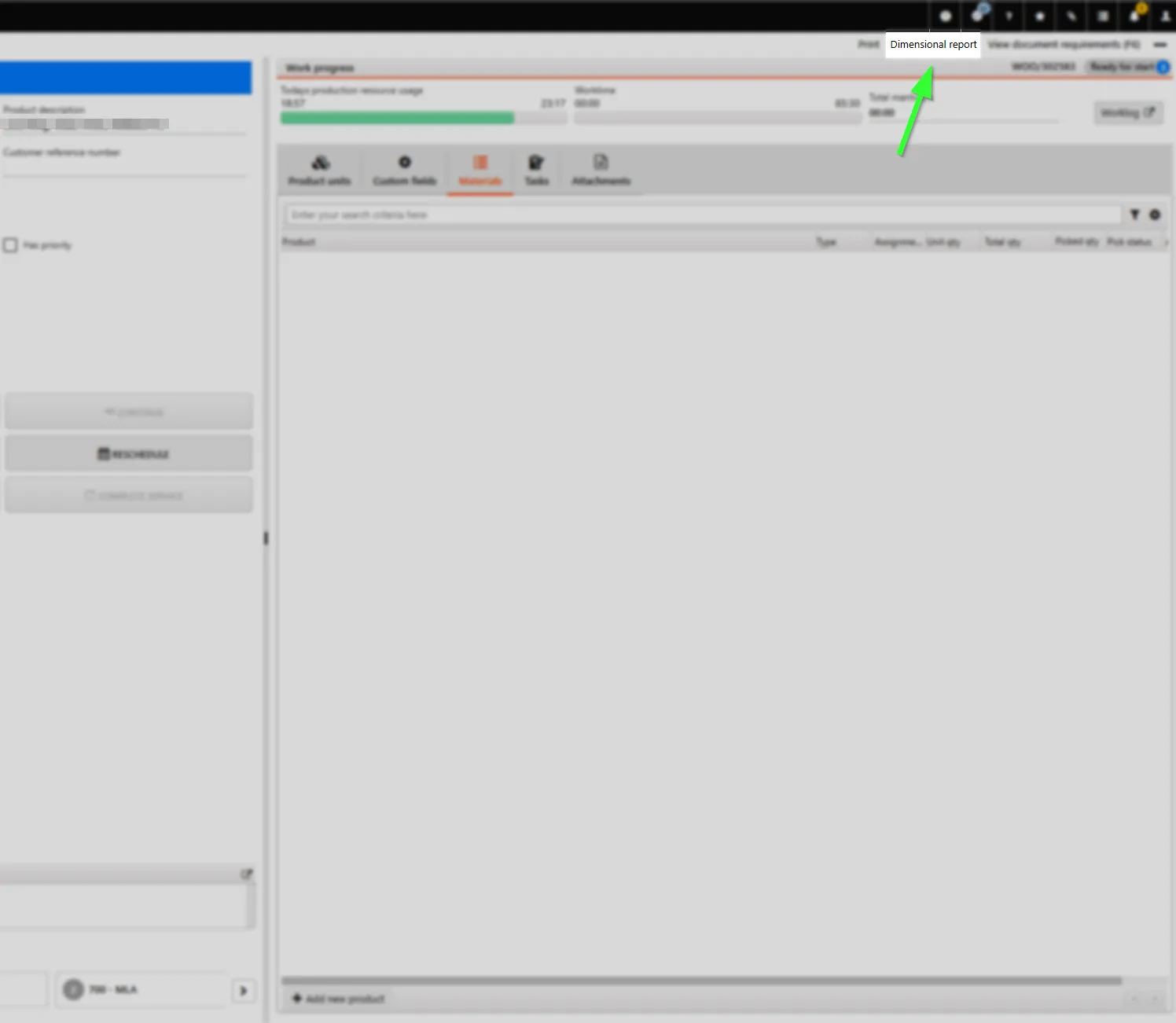
Yes. An optional button called Dimensional report opens the correct Instance in IGNOS directly from the work order operation, without manual navigation. Contact IGNOS if this is of interest.
Can we turn off parts of the automation?
Yes. Automatic creation of Needs and of Instances can be switched on or off independently of each other. It is also possible to limit which machine or resource types trigger Needs, for example only CNC machining, or to only create Needs for work orders linked to a customer. Contact IGNOS if you want to adjust this. See Settings in the Inspect Measure documentation for all settings.
Glossary
Inspect Measure
| Term | Description |
|---|---|
| Schema | The measurement form template that defines what is to be measured for a specific part and drawing combination. Found under Inspect Measure → Schemas |
| Instance | A fillable measurement form linked to one specific work order. Found under Inspect Measure → Instances |
| Need | A notice that a customer, part and drawing combination in production has no Released Schema. There is one Need per combination, not per work order. Created automatically, and disappears once the Schema is Released |
| Progress | How much of the Instance has been filled in. Must be 100% for an operator to click Complete |
Statuses
| Status | Description |
|---|---|
Released | A Schema that is finished and approved for production use. Only Released Schemas trigger automatic creation of Instances |
Active | An Instance that can be filled in. Only Active Instances are migrated automatically to new Schema versions |
Completed | An Instance the operator has finished. Locked for editing |
Approved | An Instance that has been approved. Triggers the PDF report to Rambase |
Cancelled | An Instance that has been cancelled. Can be reactivated or deleted by an administrator |
Actions on an Instance
| Action | Description |
|---|---|
| Complete | Marks the Instance as finished. Requires 100% progress for operators, and sets the status to Completed |
| Approve | Approves the Instance and triggers the PDF report to Rambase |
| Revoke Approval | Withdraws an approval and returns the Instance to Completed |
| Cancel | Cancels the Instance and sets the status to Cancelled |
| Reactivate | Returns a Completed or Cancelled Instance to Active, and migrates it to the current Schema version |
| Delete | Permanently removes a Cancelled Instance. The automation builds a new one on the next check |
Rambase
| Term | Description |
|---|---|
| Active work order | A work order with the status Ready or Ongoing in IGNOS, where at least one operation is ready or started |
| PWO | Production Work Order, the production order in Rambase |
| LCM | Life Cycle Management, the Rambase document for a single product unit with a serial or lot number. The PDF report is attached to these |
| WOO | Work Order Operation, a Rambase operation belonging to a PWO |
General
| Term | Description |
|---|---|
| Whitelisted | Explicitly allowed access. Rambase only accepts API calls from IP addresses that have been approved in advance |