Endre rekkefølgen på snarveier med dra og slipp
· Ett min lesetid
Administratorer kan nå bestemme rekkefølgen på snarveiene i hver snarveigruppe. Bare dra dem dit du vil ha dem.
Administratorer kan nå bestemme rekkefølgen på snarveiene i hver snarveigruppe. Bare dra dem dit du vil ha dem.
Vi gjør Workspace klar til å bli startsiden i IGNOS. Som et første steg har vi ryddet i widgets, slik at de ser like ut og oppfører seg likt overalt.
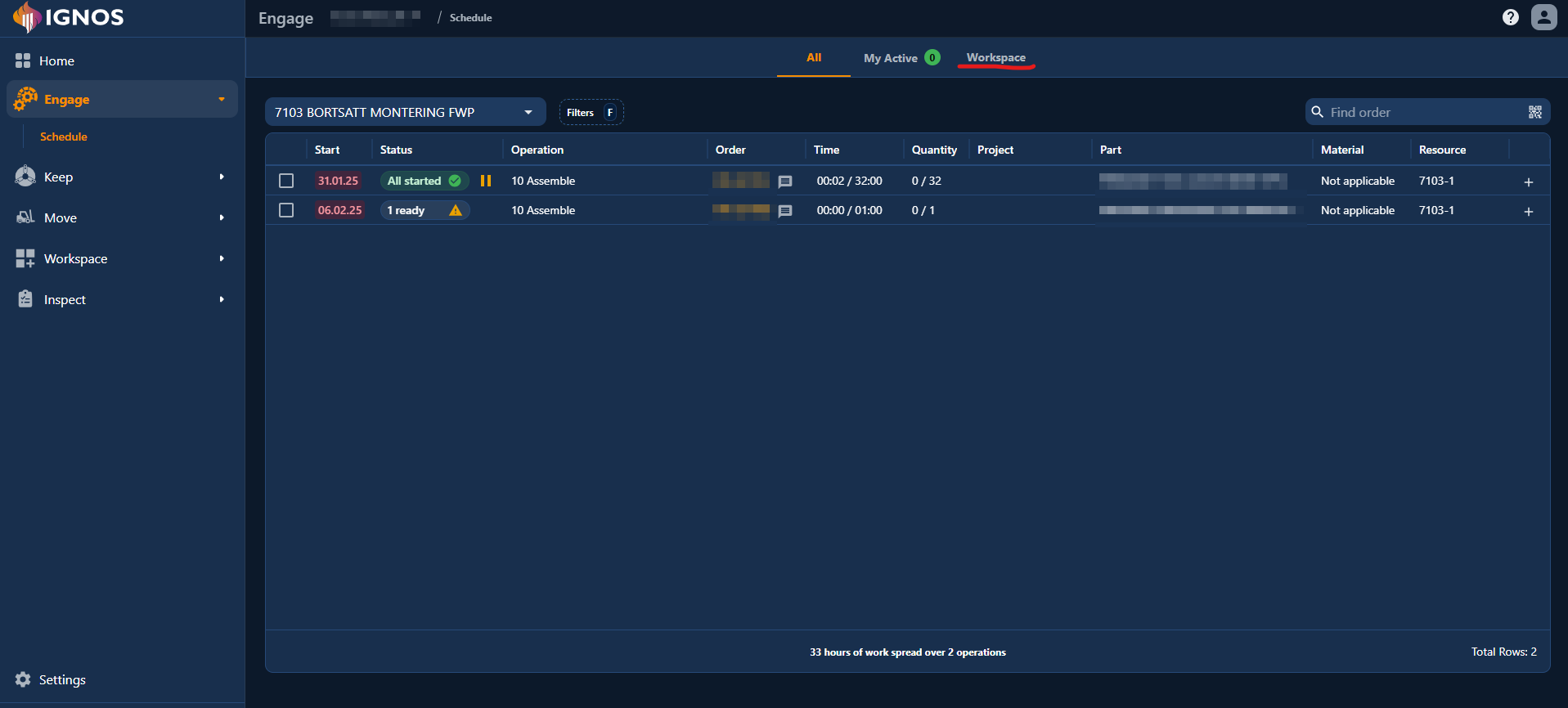
Nå kan du åpne Workspace rett fra Engage Operations. Den nye fanen Workspace ligger ved siden av All og My Active. Dermed er det enklere å veksle mellom aktive operasjoner og visninger for en bestemt ressurs uten å forlate Engage.
Vi har lansert widget'en Resource Current State og forbedret den eksisterende widget'en Engage Order.
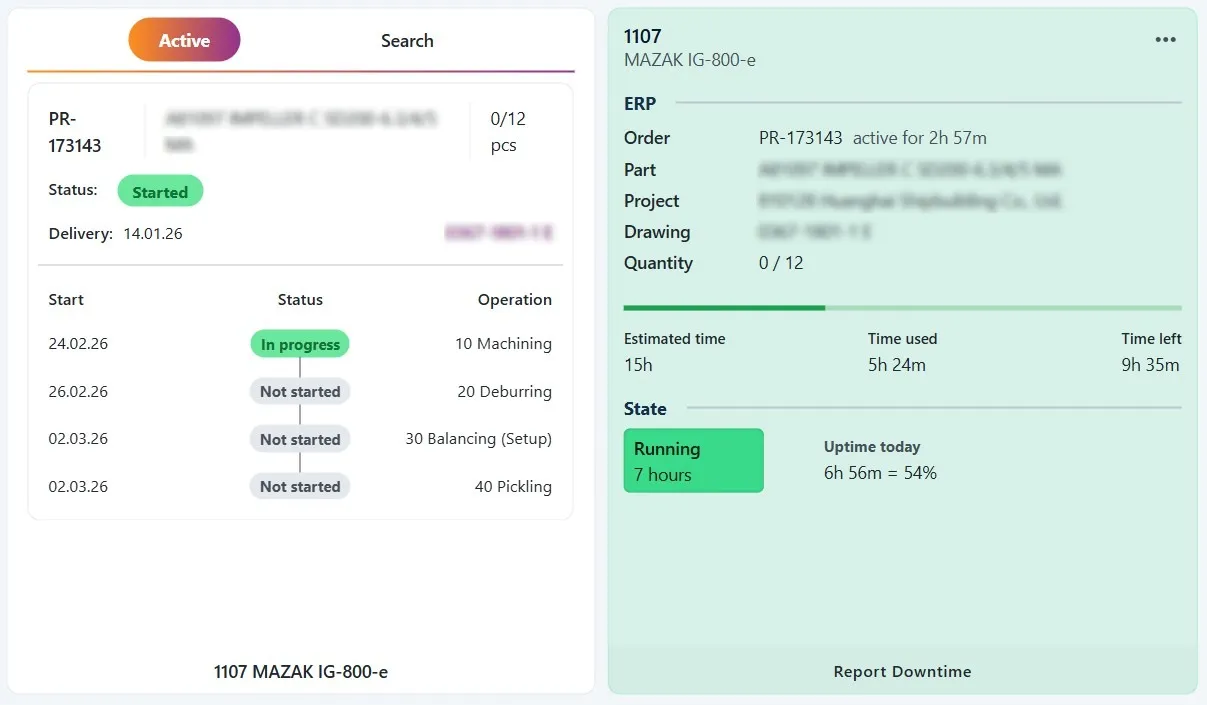
Nye forbedringer i Pulse og tilhørende apper. Tidsvelgeren er nå lik overalt.

We’ve streamlined the downtime reporting widget to make it faster and easier to use! Previously, you had to choose a recent machine state or set a start time before reporting a downtime reason. Now, you simply select the downtime reason and start the timer.
Key improvements:
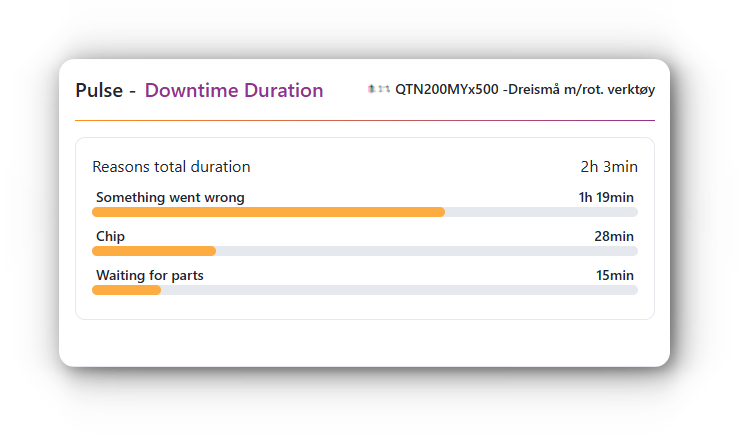
We're excited to introduce the Downtime Duration widget, now available for Pulse users in Workspace! This new tool provides a quick, at-a-glance view of reported downtime reasons and their total duration, based on your selected resource and time range. Easily configure a static resource in the widget settings (located in the top right corner) or dynamically use the resource selected in your Workspace. Gain insights to reduce downtime and boost efficiency with this intuitive new feature!
We have now launched the widgets Engage Schedule and Engage Order for Ignos Workspace!
A new calculator has been added to IGNOS Workspace which allows conversion of millimeters to inches and inches to millimeters:
If the widget is enabled for you, it will be available in the widget gallery. Look for the Millimeters/inches calculator widget.


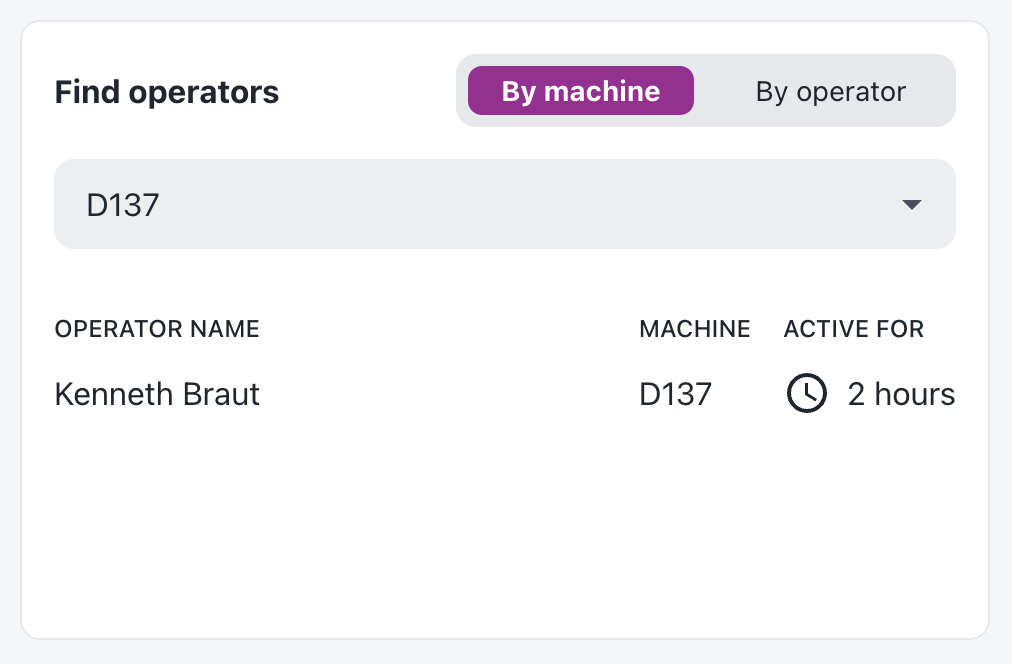
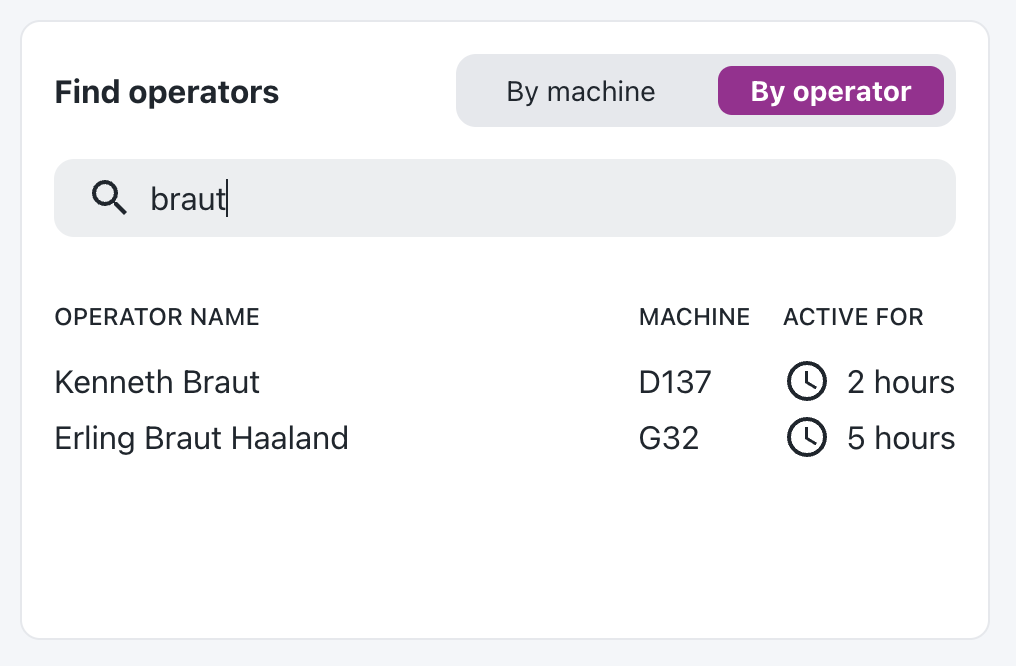
This long-requested feature is finally available in the form of a workspace widget. It lets you look up active operators in two ways:
The results are based on active work order events.
If the widget is enabled for you, it will be available in the widget gallery. Look for the Find operators widget.