Gå til hovedinnhold

7 innlegg merket med "keep"

Vis alle tagger

Tool editing updates and new tab option

· Ett min lesetid

Improved tool editing and deletion​

You can now multi-select tools in the Compact density view to delete several at once.
It’s also possible to open the Edit dialog instead of editing directly in the table.

merknad

The Edit dialog is available only when a single tool is selected.
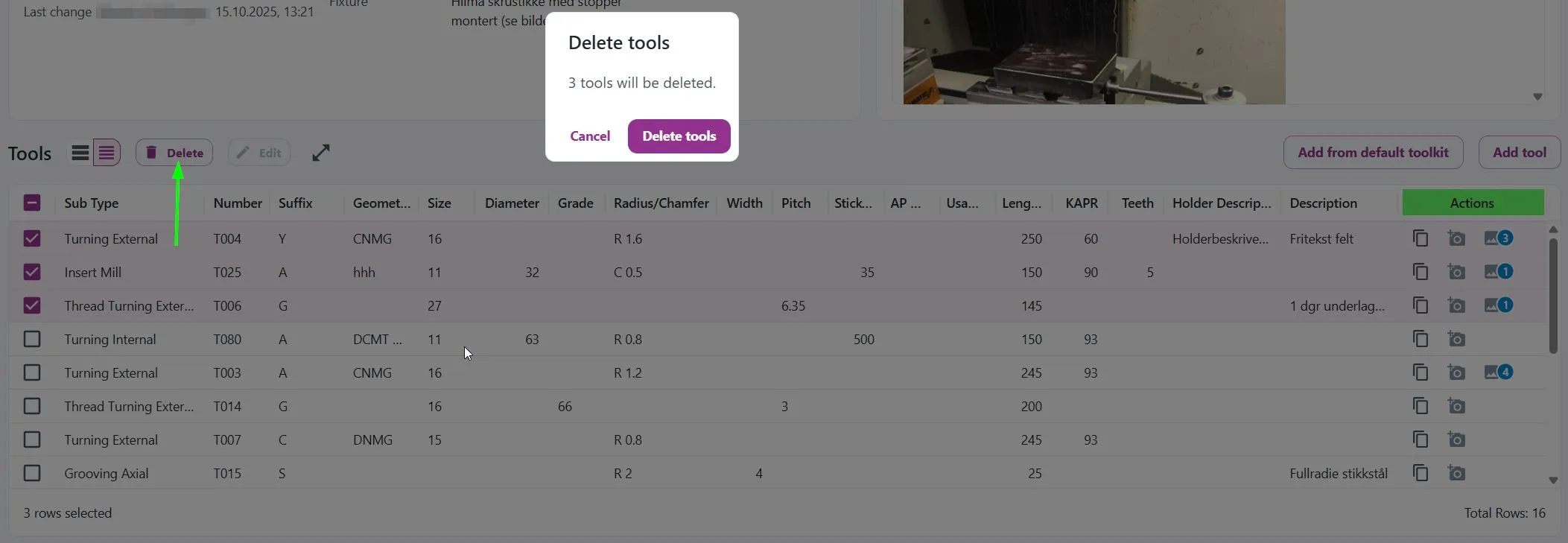
multi-delete1 Notice that the Delete button in the actions column has been removed. Use the new Delete button instead.
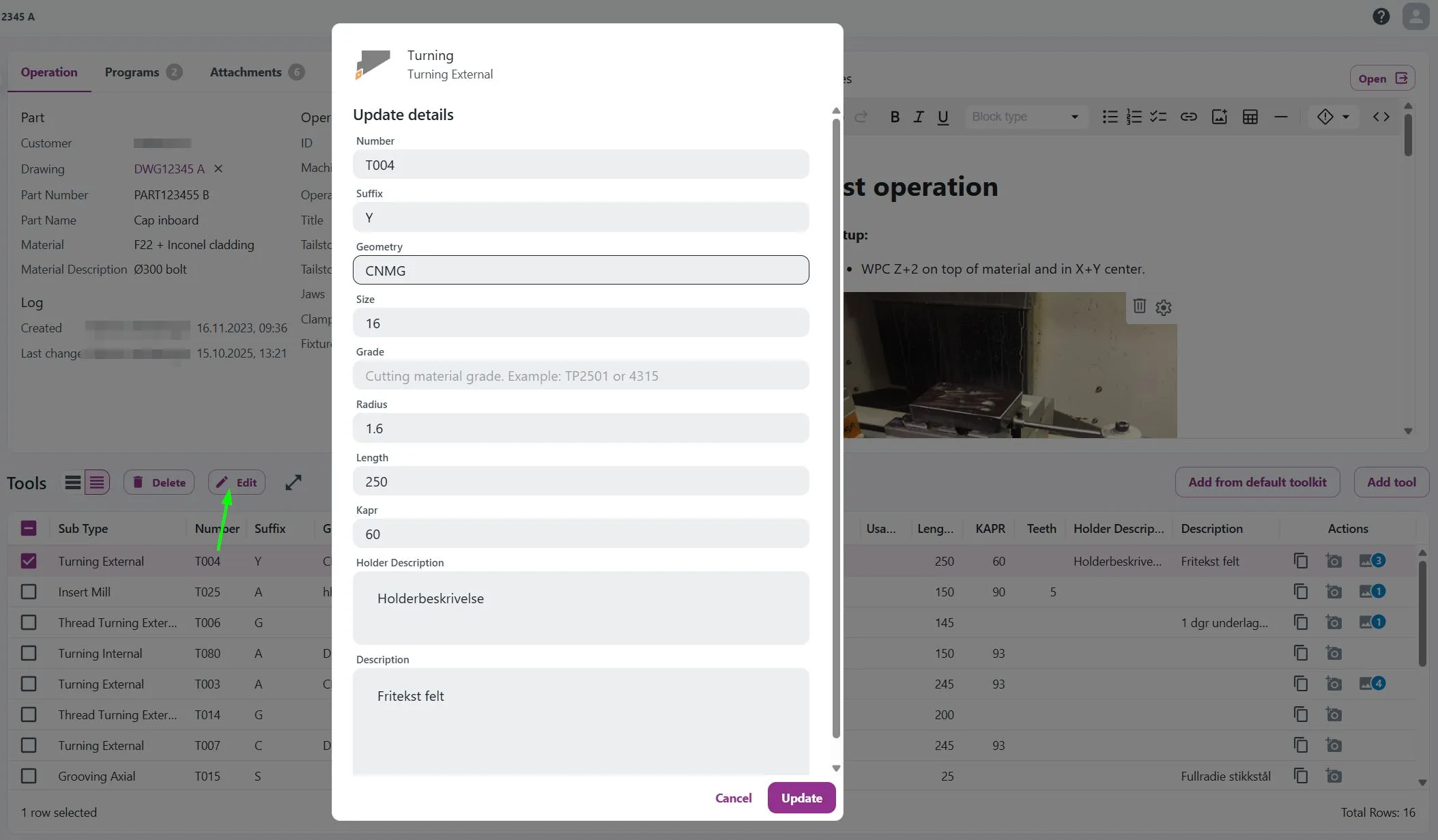
multi-delete2

Coming soon: Open operations in a new tab​

new-tab-operations You’ll soon be able to open an operation in a new browser tab.
Copy and Paste tools feature

· Ett min lesetid

Good news! We have finally released the long-awaited feature: copy-and-paste tools within and between different tool lists!

Demonstrated below: copy_paste_tool

Parts List Update

· Ett min lesetid

We’re pleased to share that we've just released an update to the Parts list, where you can now open the Operations in a new tab.
This update aims to improve your user experience, particularly when using pre-set search filters and needing to open Operation cards to verify the correct part.

Previously, navigating directly to the Operation card would reset your filters, requiring you to set them again.

Now, you can keep your filters intact while easily checking the details you need!

Here's a quick demo: parts_newtab

Description Field Upgrade

· Ett min lesetid

As mentioned in our previous update, the Description field has received a significant upgrade!
It's now called Notes, and we've transformed it into a sleek rich text editor.

notes

Check out this quick demo to see how it can be used:
notes_demo

tips

You can easily link to attachments in Keep using the link function (as shown in the GIF above).
Simply right-click the attached file, select Copy link address, and add it as a link in Notes!

Extra-tip: You can even link to other operation cards!

Minor Adjustments

· Ett min lesetid

We released some minor adjustments before the weekend.

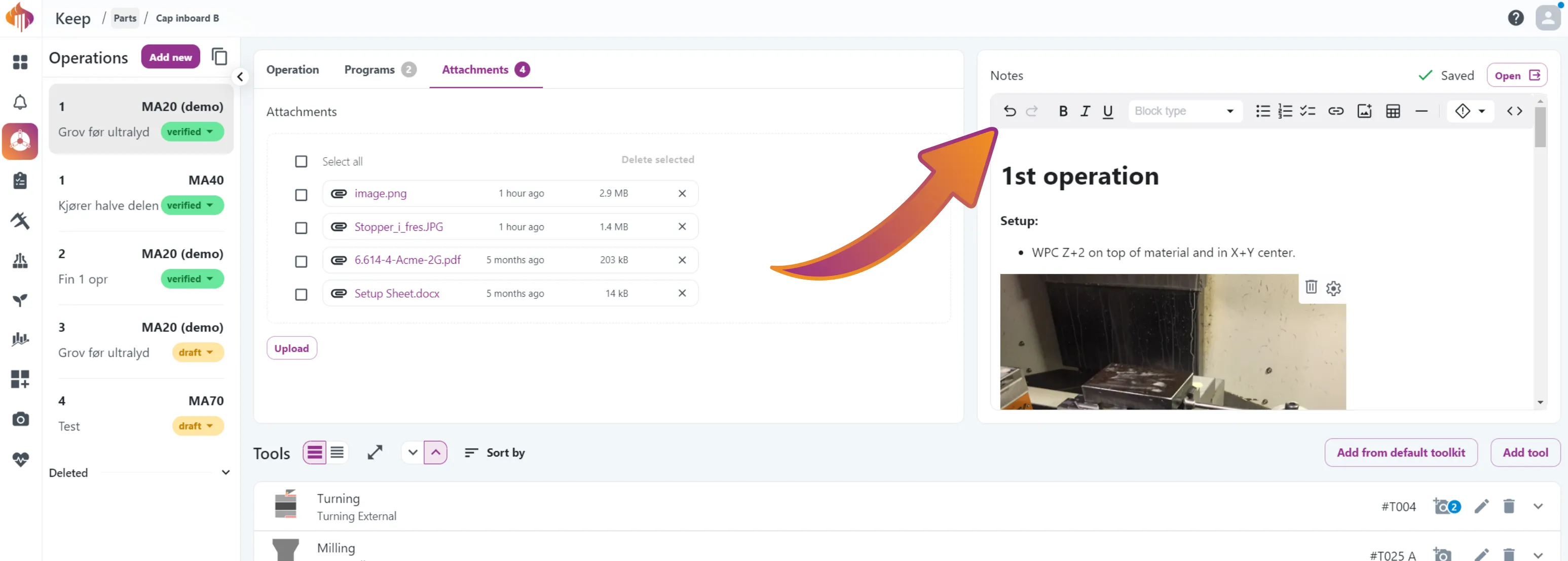
The Description field is now fixed to the operation card, so it’ll always be available, no matter which tab you’re working from.

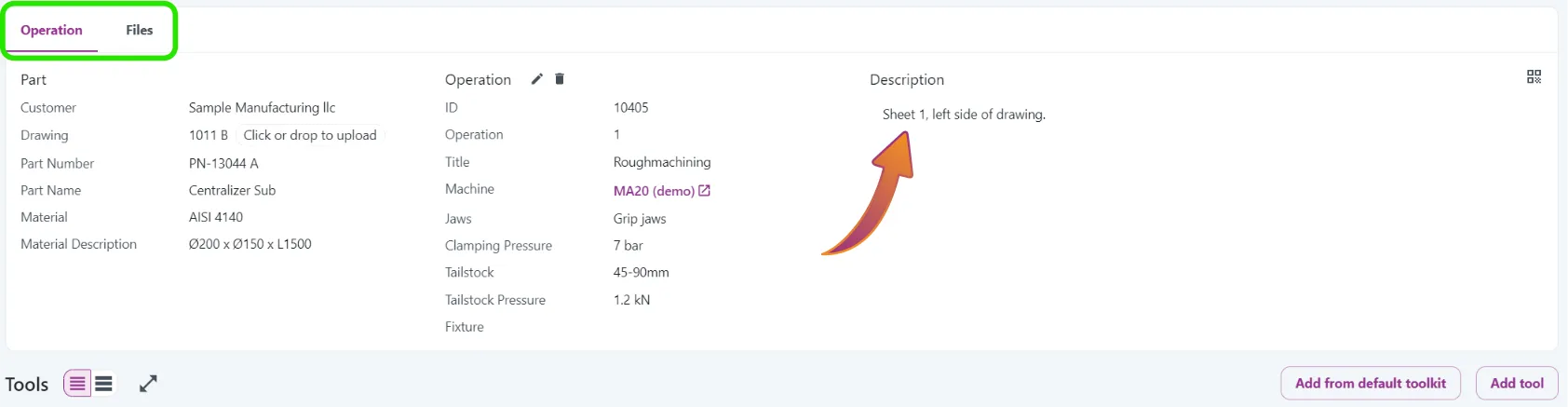
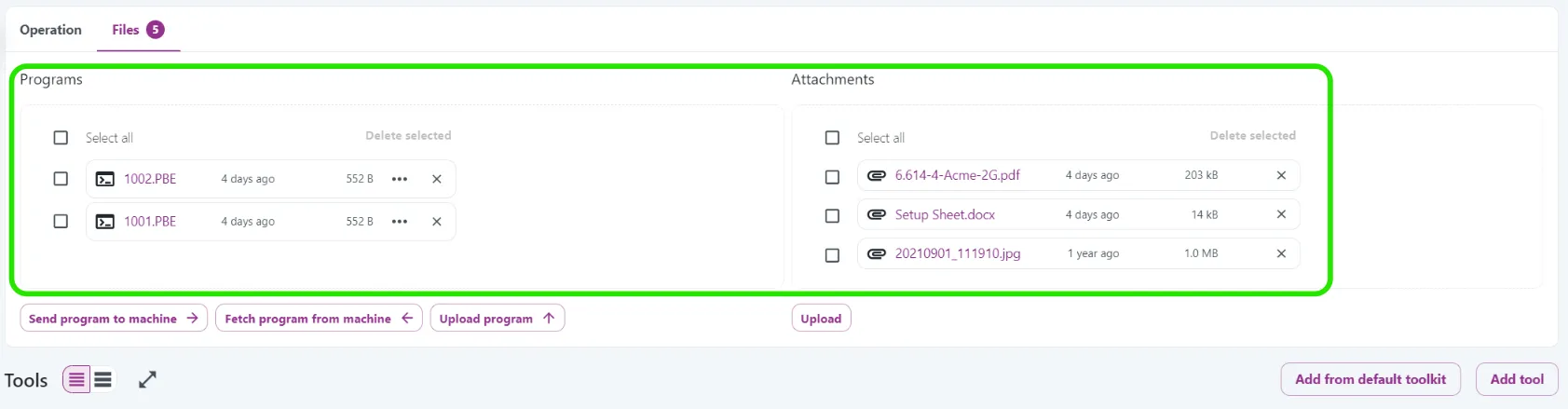
Previously, the available tabs were named Operation and Files, but we’ve now split them into three separate tabs: Operation, Programs, and Attachments.

A glance at the old design:​

old_description_1
The Description field was only available when the Operation tab was active.

old_description_2 Programs and Attachments shared a tab, but the Description field was missing.
The new design:​

new_description

This will make Keep even easier to use, and we’ve got more features planned for the Description field coming soon!🚀

Materials Auto-Suggestions

· Ett min lesetid

Now you can get auto-suggestions for materials! This feature helps prevent duplicate materials in the database.

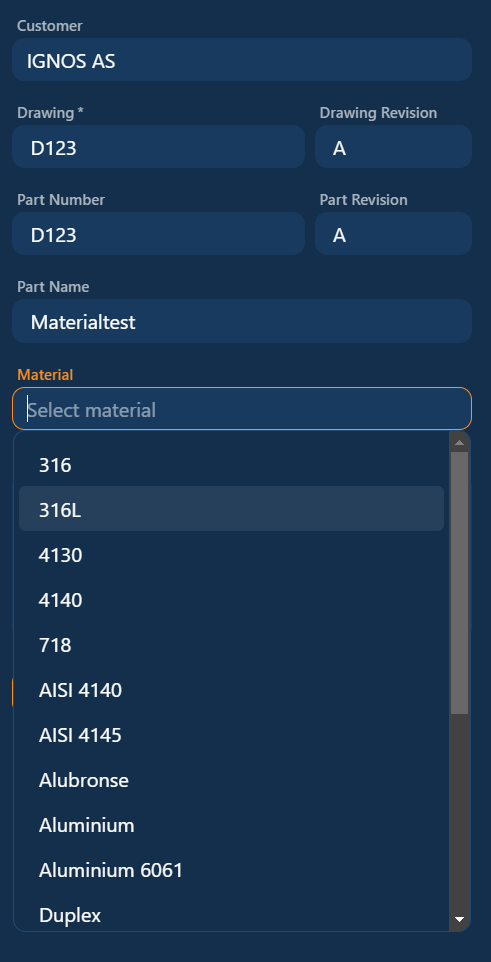
  • The material box displays all the materials found in the Parts list:
    materials_search1

  • It refines the search as you type:
    materials_search2
    For example, typing "Du" narrows it down to just these two materials.

If the material doesn't exist in the Parts list, a new one will be created.

tips

If you make a typing error, simply edit the material.
The mistake will be removed from search results since it will no longer appear in the Parts list.

Search and Tools Update

· Ett min lesetid

Great news!🥳
We're excited to introduce a couple of new features!

1. Search by user and date for operations:​

Many of you have requested this, and we’re thrilled to announce it’s now available.
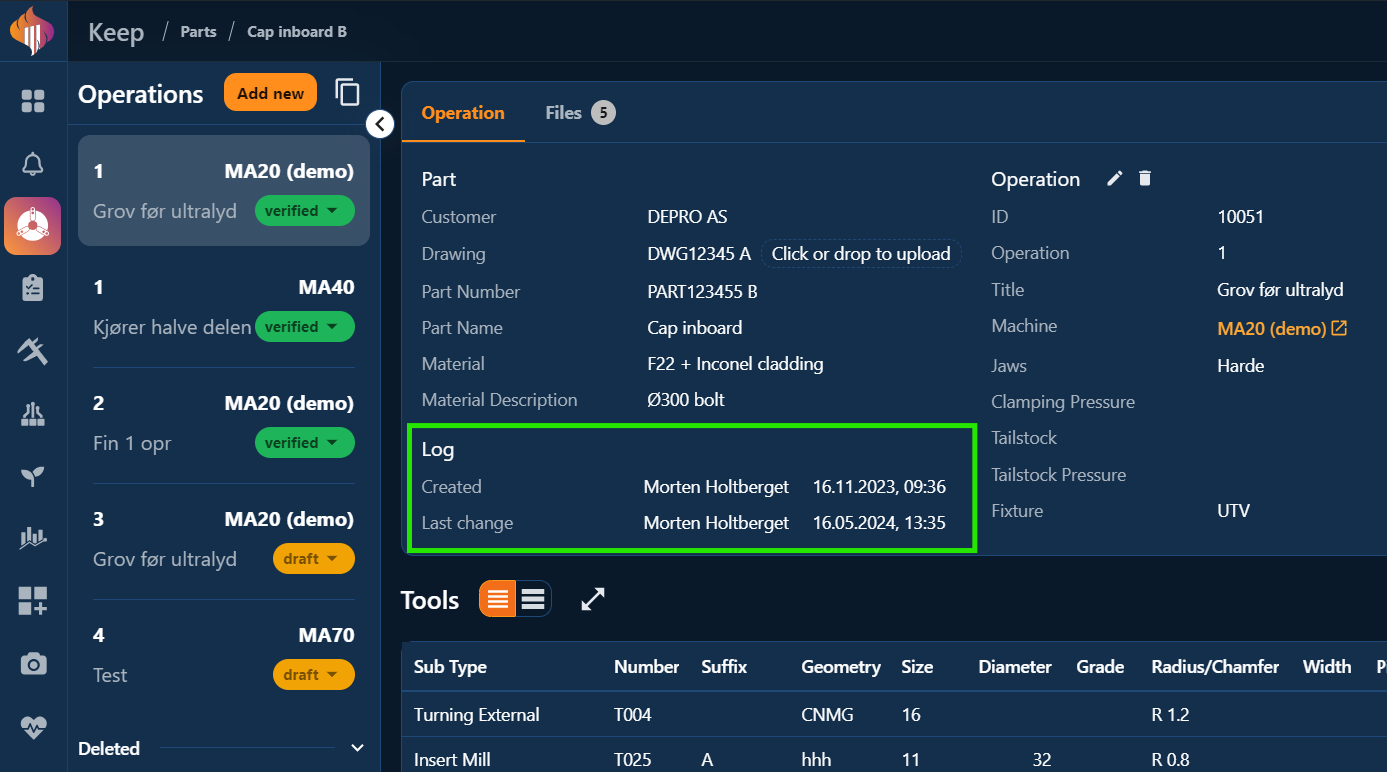
You can search for Created or Changed operations and filter them by date and user.

created_updated_1
Created / Updated search filter demonstrated

The operation cards now includes a Log section: created_updated_2

Created / Updated filters is also available from the Operations menu: created_updated_3

2. Add from default tools in accordion view/mobile device:​

You can now add tools from the default toolkit directly from mobile devices and in the accordion view from tablet or pc!

keep_default_tools_mobile
How it looks on a phone.